INETVU® MOBILE SYSTEM QUICK START – NERA & STM
C-COM Satellite Systems Inc. Page 17
5. Now that the drivers and software package has been installed, connect the iNetVu 7000
Controller via USB to your PC.
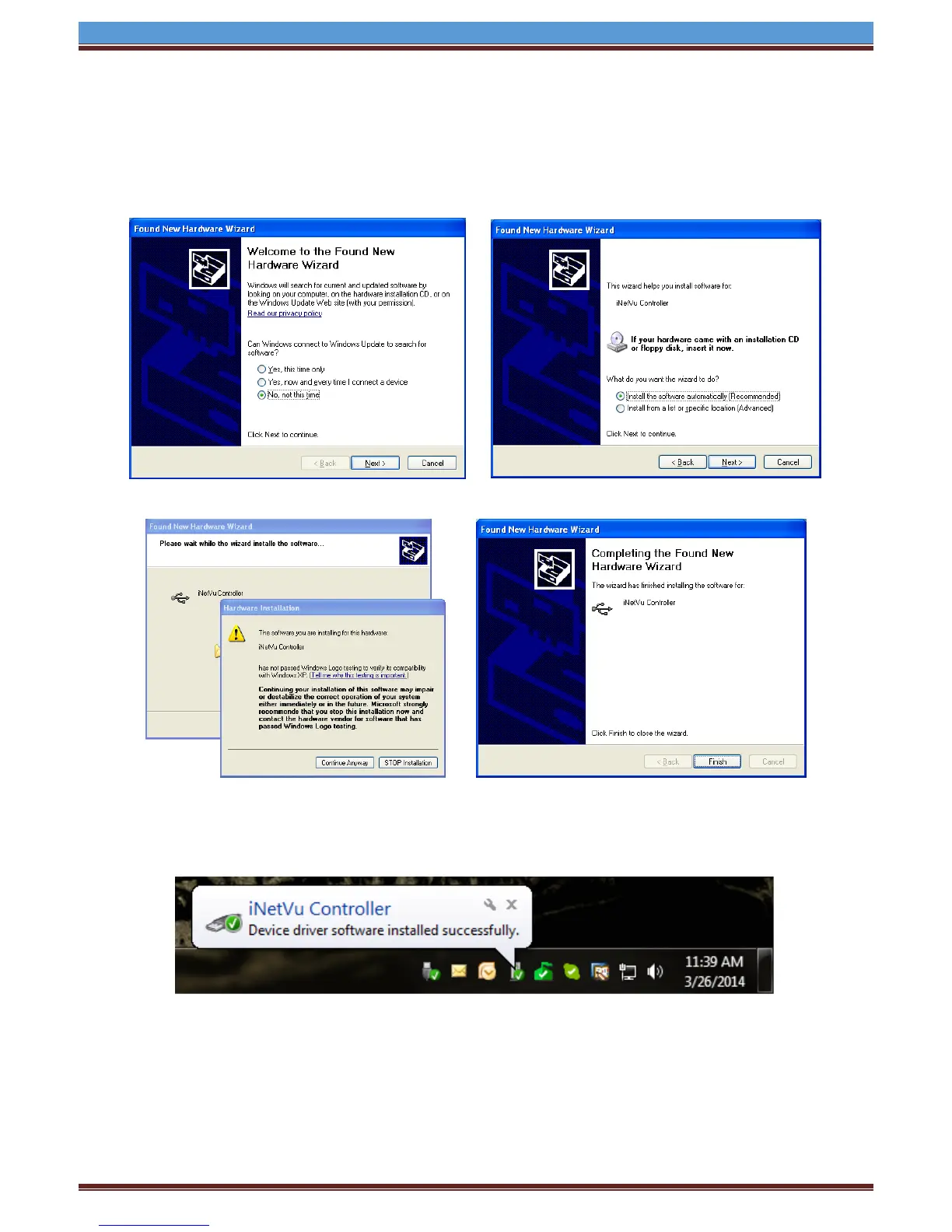
6. Windows XP users will have to follow the new hardware wizard and let windows automatically
install the drivers.
Select “No, not this time” Select “Install the software automatically”
Click “Continue Anyway” Click “Finish”
7. Windows Vista and 7 users, the drivers should install automatically without any further user
action.
8. You have successfully installed the 7000 iNetVu Drivers and Software.


 To Next Page