inniton.es36
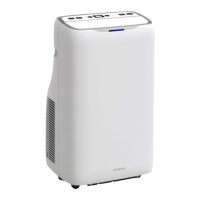
Control panel
English
How to use
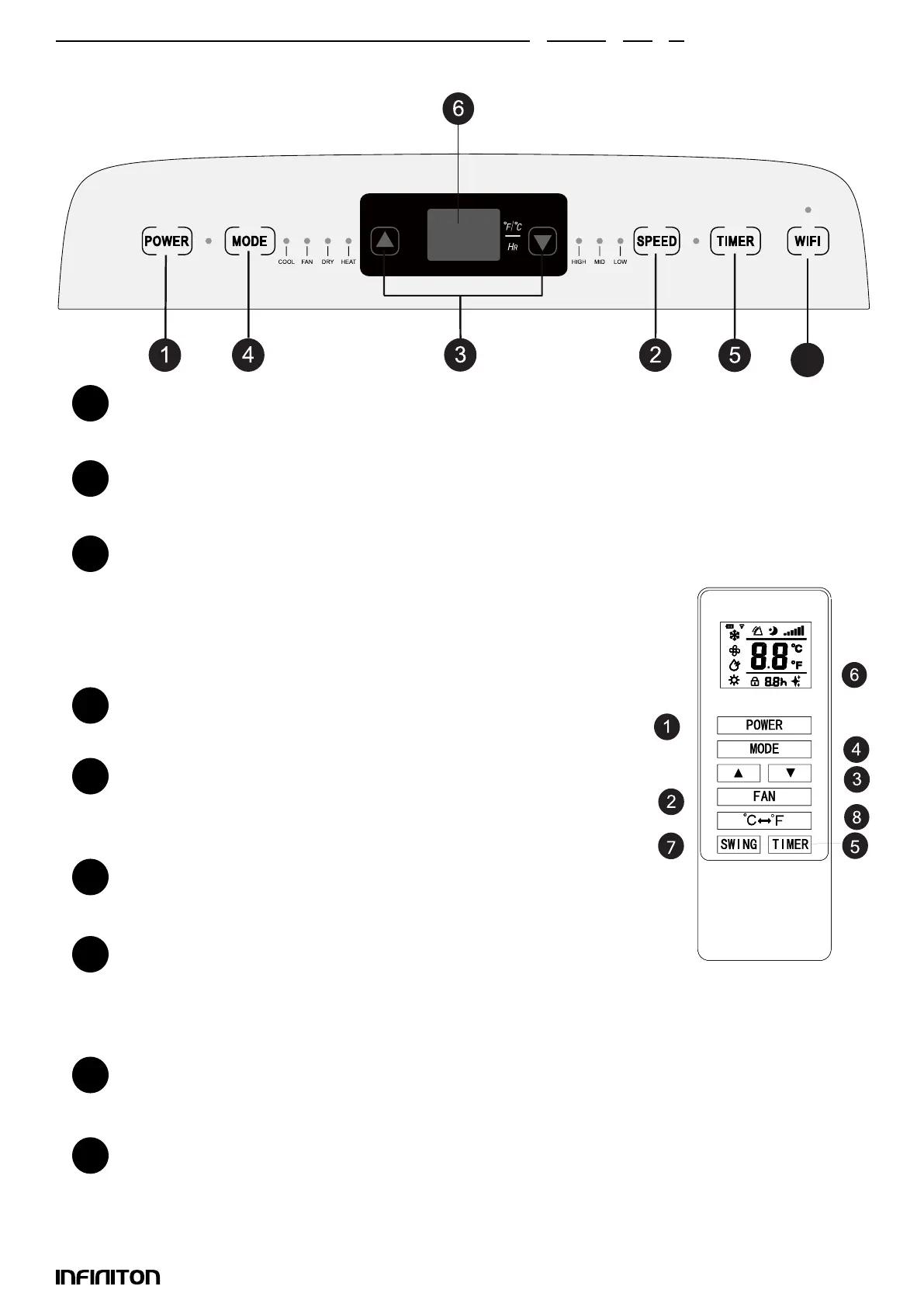
On/Off button
Press the button to turn on/off the portable air conditioner.
Speed button
Press this button to select high/medium/low speed.
Temperature/Time Adjustment Button
Press this button in cooling or heating mode to increase/decrease the
desired temperature; press it in timer mode to adjust the on/off time; press
the Up and Down keys simultaneously to switch between Fahrenheit and
Celsius.
Mode button
Press the key to select cooling, fan, dehumidier and heating.
Timer
Press this button in standby mode to set the power on time. If it is on, press
this button to set the off time.
Temperature and time display screen
This display shows the set temperature and time.
Swing button
Press the down button and the fan button simultaneously to activate/de-
activate the oscillation.
Press the Swing button on the remote control to activate this function.
Temperature change button
This button is used to switch between ºC and ºF.
WIFI function
1
2
3
5
6
7
8
9
4
9


 To Next Page