Black plate (108,1)
Model "INFINITI_NAVI" EDITED: 2006/ 3/ 20
INV3018
INFO:
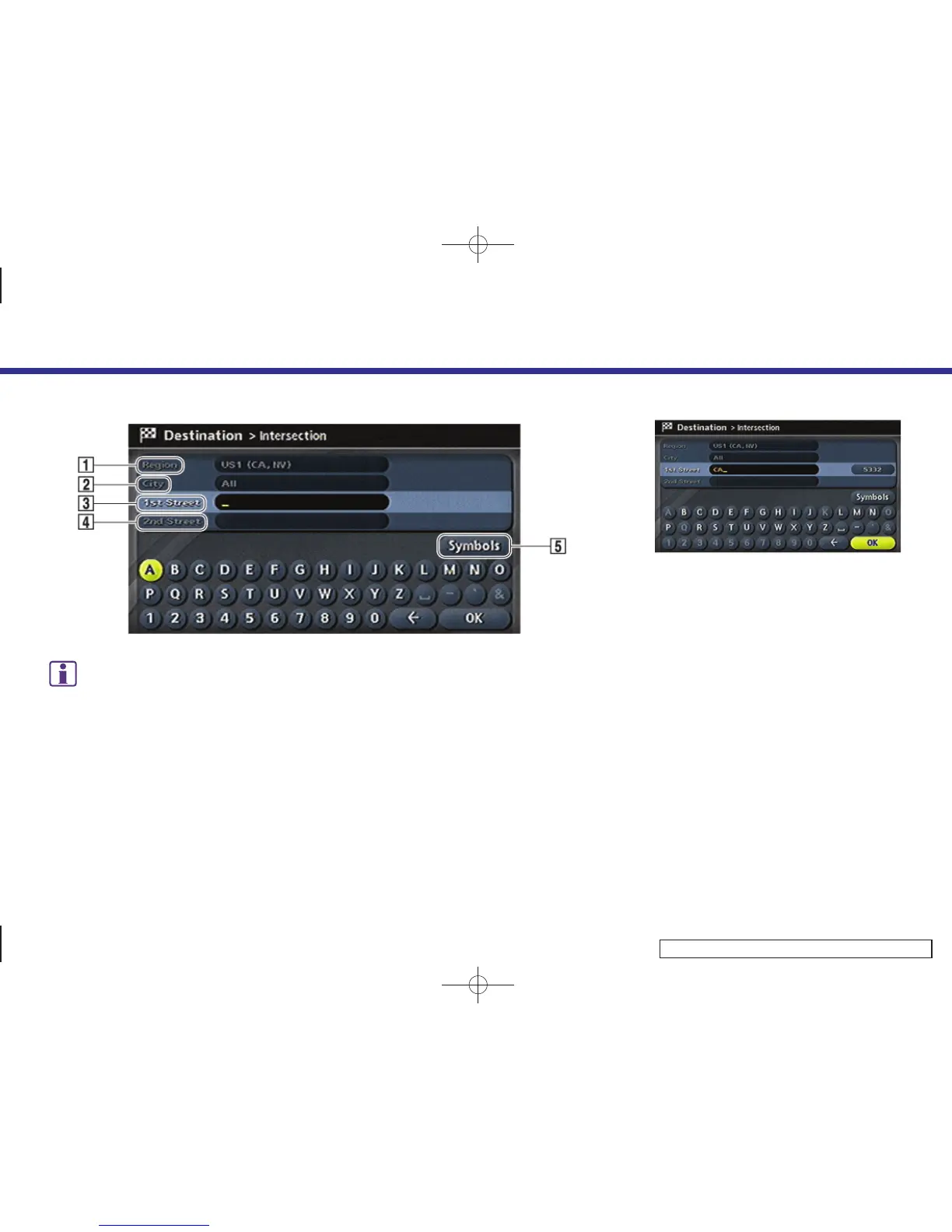
Character input screen for Intersection
&
1
Region:
The region previously entered is automati-
cally displayed. It can be changed.
&
2
City:
“All” is displayed, and all cities in the region
are available. Route calculation conditions
can be narrowed down by entering the name
of the city.
&
3
1st Street:
Enter the name of the 1st street of the
destination intersection.
&
4
2nd Street:
Enter the name of the 2nd street of the
destination intersection.
&
5
Symbols/A-Z:
Symbol keys are displayed by highlighting
[Symbols] and pushing <ENTER>. Alphabet
keys are displayed by highlighting [A-Z] and
pushing <ENTER>.
INV3019
3. Enter the name of the 1st street.
After finishing the entry, highlight [OK]
and push <ENTER>.
A list screen is displayed.
4. Setting a destination
4-14


 To Next Page
 Loading...