Black plate (121,1)
Model "INFINITI_NAVI" EDITED: 2006/ 3/ 20
INV2810
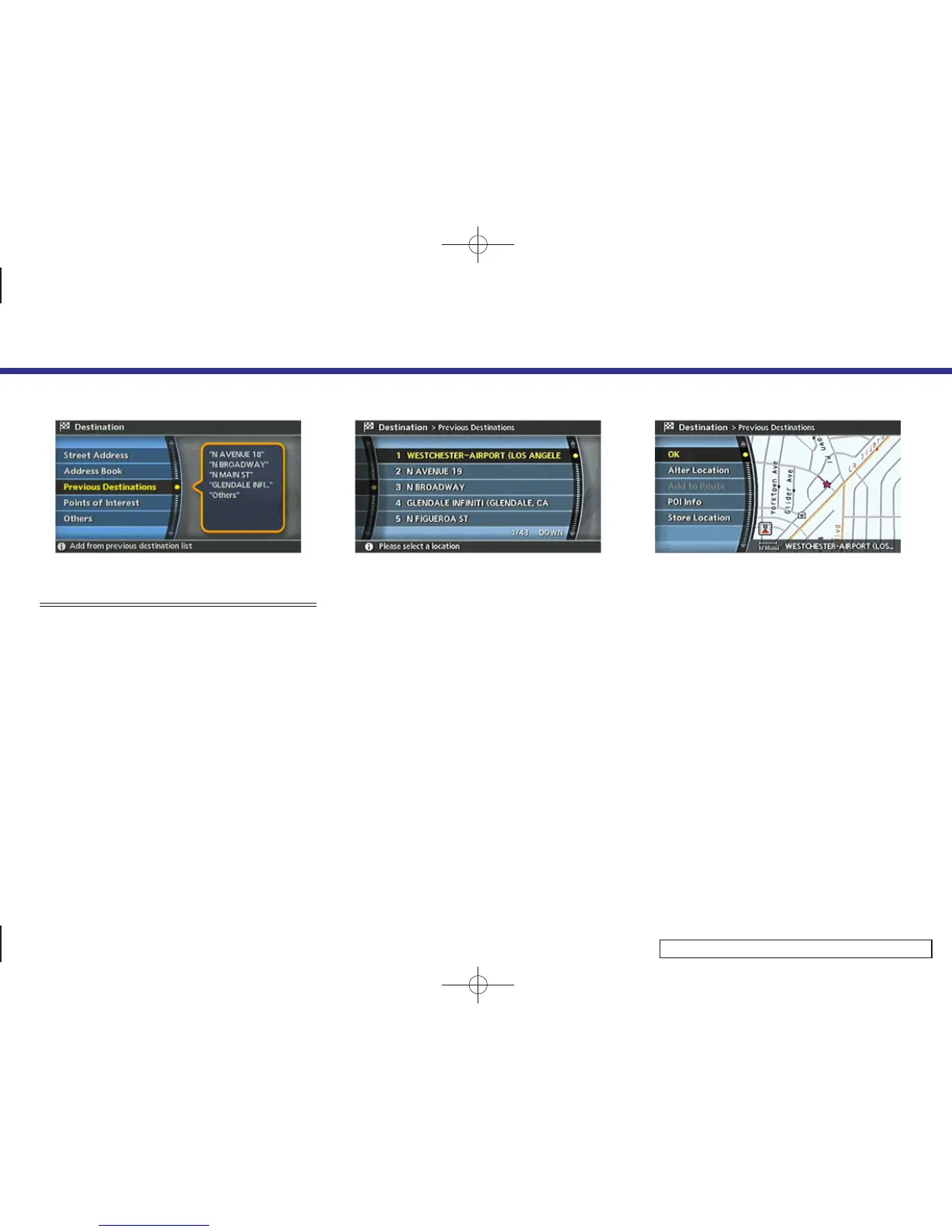
SETTING A PREVIOUS DESTINATION
1. Highlight [Previous Destinations] and
push <ENTER>.
INV2505
2. Highlight the preferred destination
from the list and push <ENTER>.
INV2506
3. The selected destination is displayed at
the center of the map. Highlight [OK]
after confirming the location of the
displayed destination, and push
<ENTER>.
The system sets the destination to the
selected location and starts calculating
a route.
4. Setting a destination
4-27



 To Next Page