Black plate (139,1)
Model "INFINITI_NAVI" EDITED: 2006/ 3/ 20
INV2494
SETTING BY PHONE NUMBER
INFO:
.
If the area code of the specified telephone
number does not exist in the map data, the
system will not search for the location.
.
Only the locations included in the database
in the map DVD-ROM can be searched by
the phone number. Personal phone num-
bers cannot be used to search for a location.
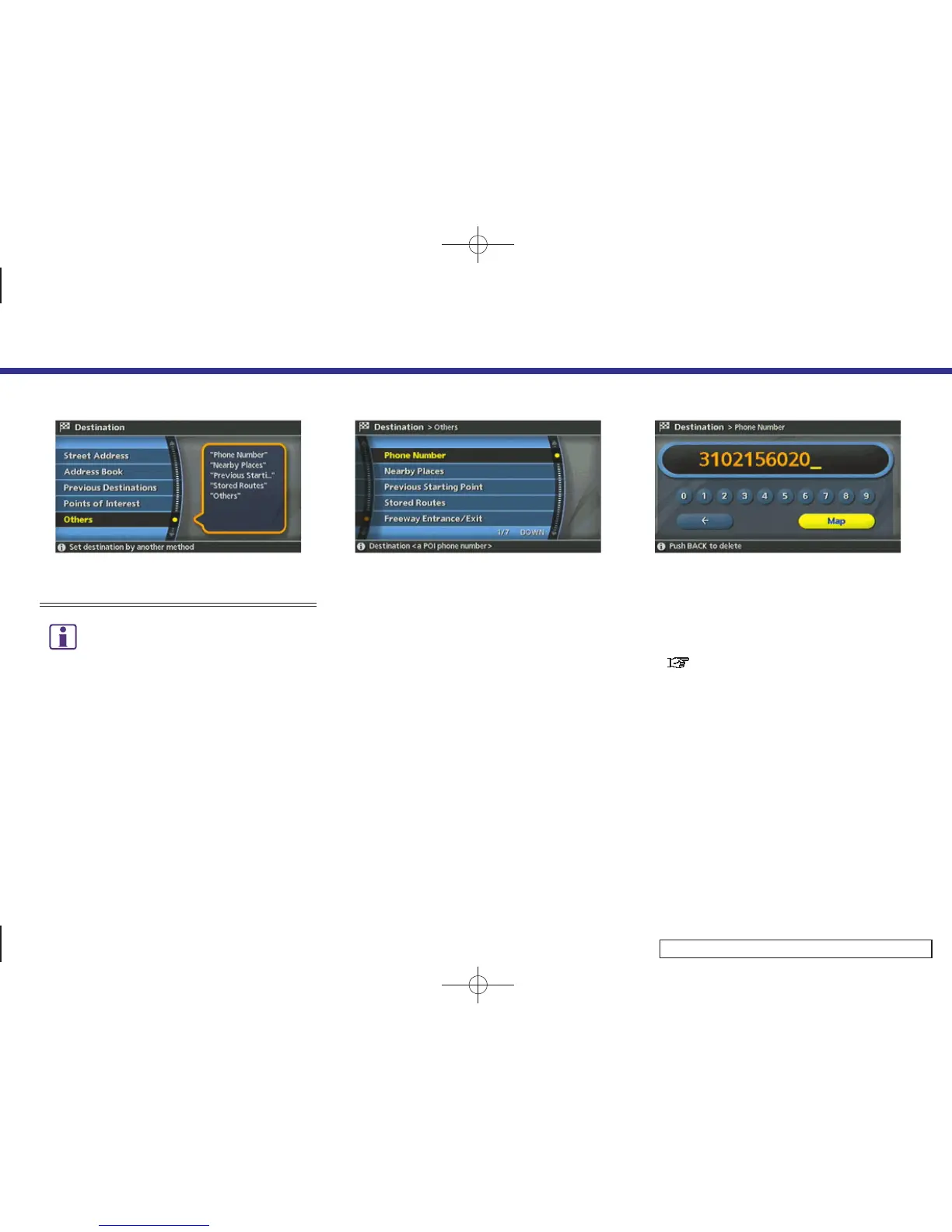
1. Highlight [Others] and push <ENTER>.
INV2771
2. Highlight [Phone Number] and push
<ENTER>.
The telephone number input screen is
displayed.
INV2782
3. Enter the telephone number including
the area code.
4. After finishing the entr y, highlight
[Map] and push <ENTER>.
“PHONE NUMBER INPUT SCREEN”
(page 2-36)
4. Setting a destination
4-45


 To Next Page
 Loading...