Black plate (180,1)
Model "INFINITI_NAVI" EDITED: 2006/ 3/ 20
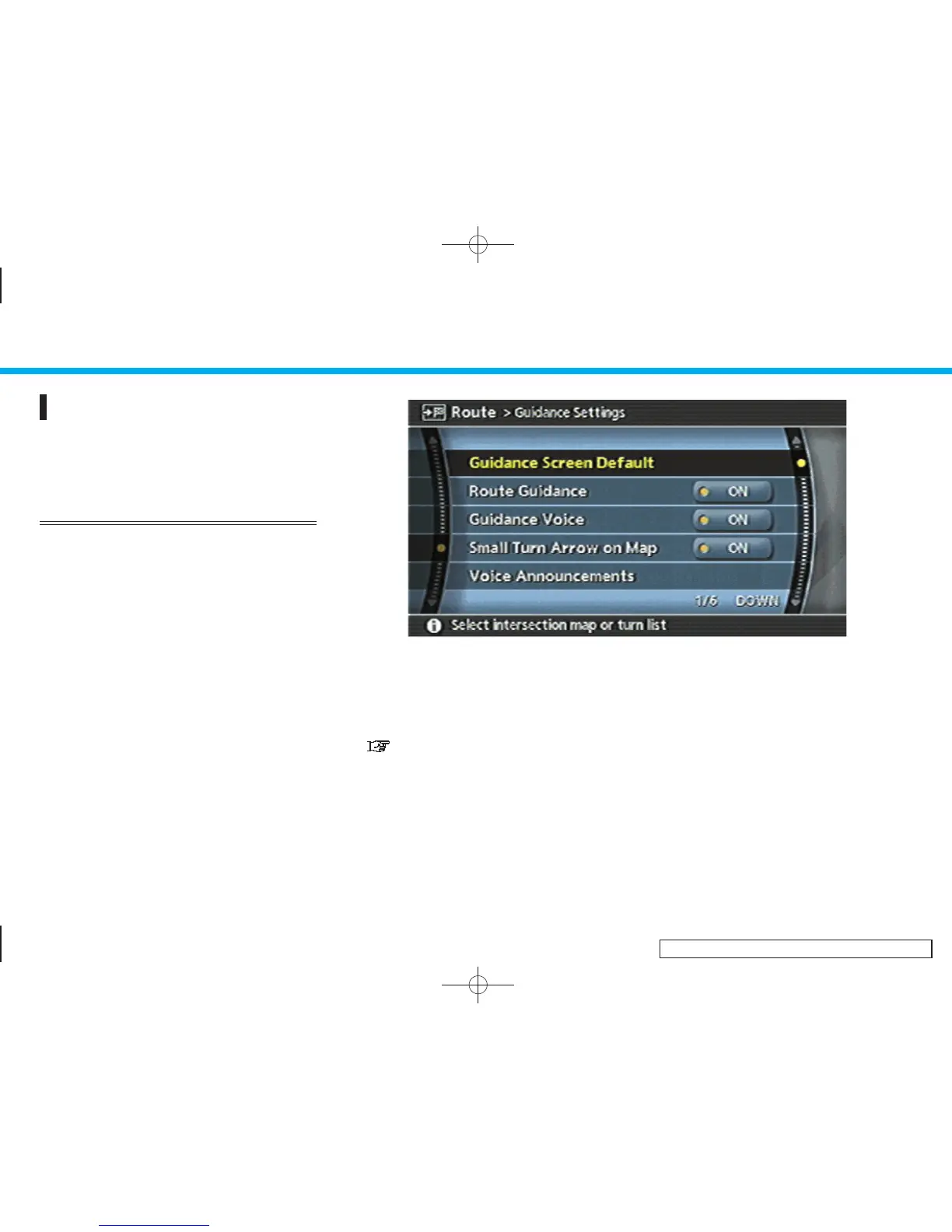
ROUTE GUIDANCE SETTINGS
You can set various guidance information
to be displayed during route guidance and
activate or deactivate route and/or voice
guidance.
BASIC OPERATION
1. Highlight [Guidance Settings] and push
<ENTER>.
2. Highlight the preferred item and push
<ENTER>.
3. Push <BACK> to return to the previous
screen. Push <MAP> to return to the
current location map screen.
INV2629
Available setting items
. Guidance Screen Default:
Sets the default d isplay screen for
route guidance.
“VISUAL GUIDANCE SETTINGS”
(page 5-32)
. Route Guidance:
Activates or deactivates route gui-
dance. Route guidance is activated
when the indicator illuminates. Route
information is not available when route
guidance is set to OFF.
. Guidance Voice (G35 Coupe, M45/
M35):
Activates or deactivates voice guidance.
The indicator illuminates if voice gui-
dance is activated.
. Small Turn Arrow on Map:
Activates or deactivates the Small Turn
Arrow on Map (simplified turn indica-
tor) displayed in the upper left corner of
the map screen. The indicator illumi-
nates if the Small Turn Arrow on Map is
5. Route guidance
5-30


 To Next Page
 Loading...