Black plate (184,1)
Model "INFINITI_NAVI" EDITED: 2006/ 3/ 20
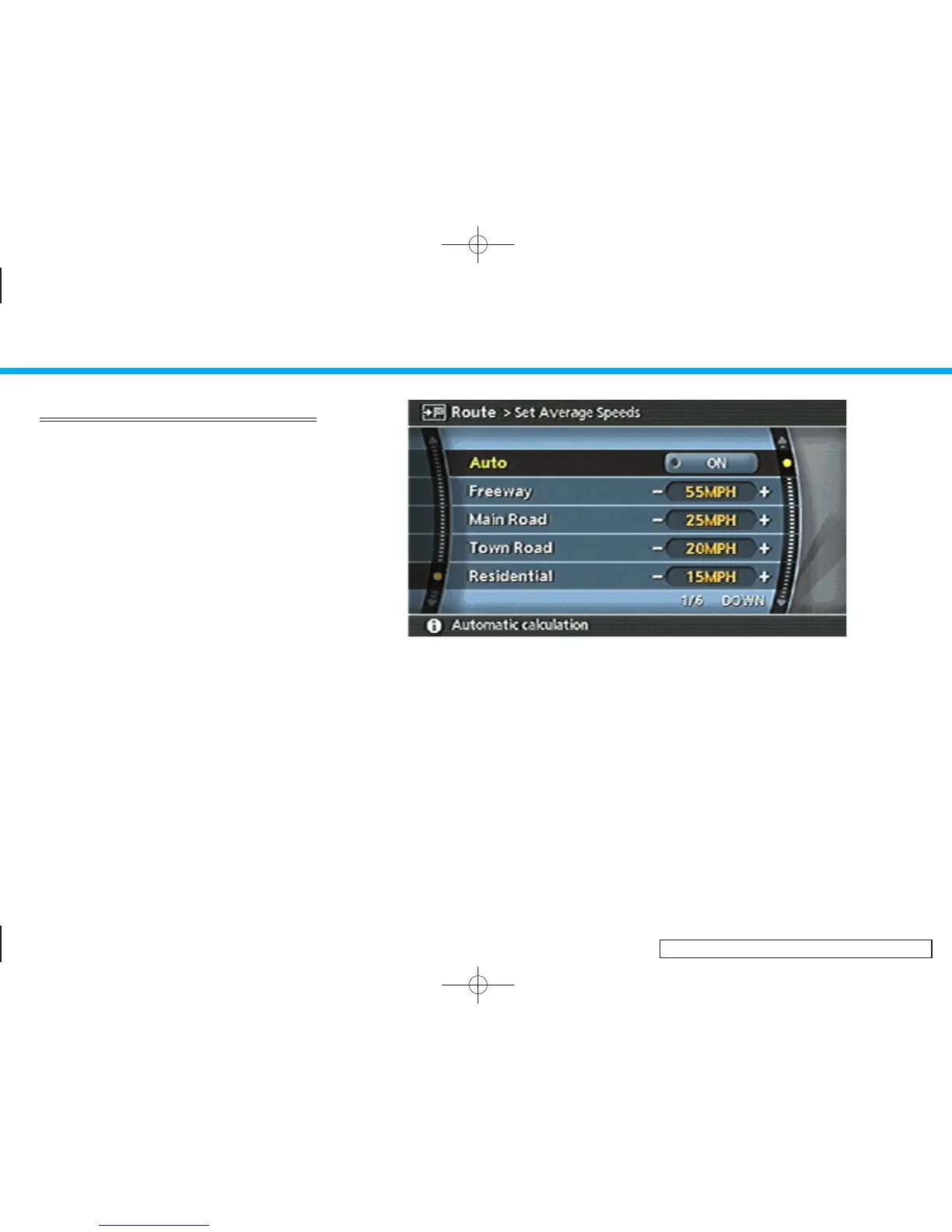
SET AVERAGE SPEEDS
You can calculate the required time to the
destination based on the set vehicle
speeds.
Basic operation
1. Hig hlight [Set Average Speeds] and
push <ENTER>.
2. Highlight the preferred item and push
<ENTER>.
3. Use the joystick, the main directional
buttons or the center dial to make an
adjustment. The speed can be in-
creased/decreased by 5 MPH (5 km/h).
4. After finishing the setting, push
<ENTER> or <BACK> to activate the
setting.
5. Push <BACK> to return to the previous
screen. Push <MAP> to return to the
current location map screen.
INV2599
Available setting items
. Auto:
If set to ON, the system automatically
calculates the required time to the
destination, the indicator illuminates
and the speed settings cannot be
changed.
. Freeway:
Allows you to adjust the average
vehicle speed on a freeway by moving
the joystick, the main directional but-
tons or the center dial in the direction
of [+] or [–].
. Main Road:
Allows you to adjust the average
vehicle speed on a main road by
moving the joystick, the main direc-
tional buttons or the center dial in the
direction of [+] or [–].
. Town Road:
Allows you to adjust the average
vehicle speed on a town road by
moving the joystick, the main direc-
tional buttons or the center dial in the
5. Route guidance
5-34


 To Next Page
 Loading...