Black plate (203,1)
Model "INFINITI_NAVI" EDITED: 2006/ 3/ 20
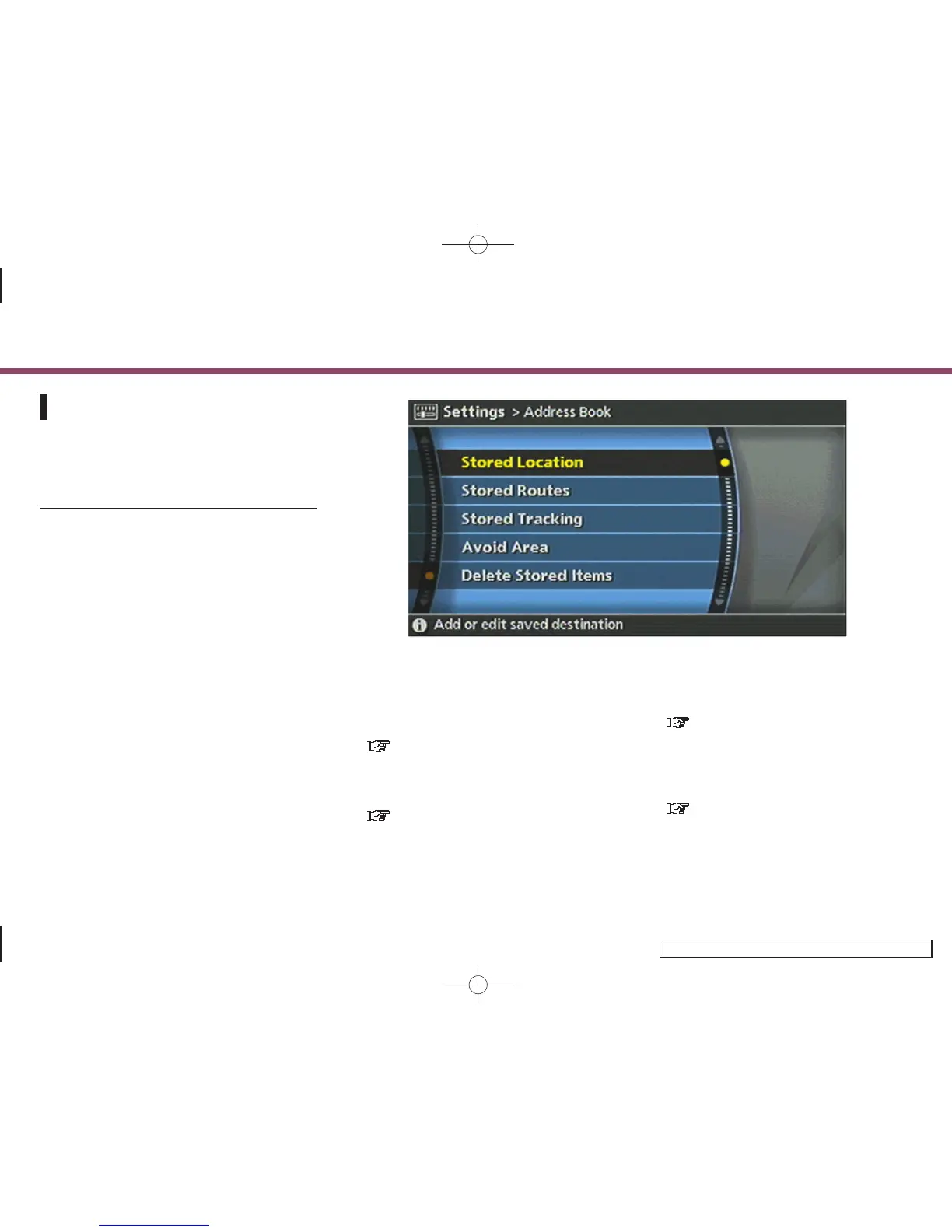
EDITING THE ADDRESS BOOK
Items stored in the Address Book can be
modified. You can edit these settings to
make the navigation system more useful.
BASIC OPERATION
1. Push <SETTING>.
2. Highlight [Navigation] and push
<ENTER>.
3. Highlight [Address Book] and push
<ENTER>.
4. Highlight the preferred item and push
<ENTER>.
5. Push <BACK> to return to the previous
screen. Push <MAP> to return to the
current location map screen.
INV2660
Available items
. Stored Location:
Edits the information of a stored home
and location.
“EDITING THE STORED HOME AND
LOCATION” (page 6-16)
. Stored Routes:
Edits the information of a stored route.
“EDITING THE STORED ROUTE”
(page 6-27)
. Stored Tracking:
Edits the information of a stored
tracked route.
“EDITING THE STORED TRACKING”
(page 6-28)
. Avoid Area:
Edits the information of a stored Avoid
Area.
“EDITING THE AVOID AREA”
(page 6-30)
6. Storing a location/route
6-15


 To Next Page
 Loading...