Black plate (236,1)
Model "INFINITI_NAVI" EDITED: 2006/ 3/ 20
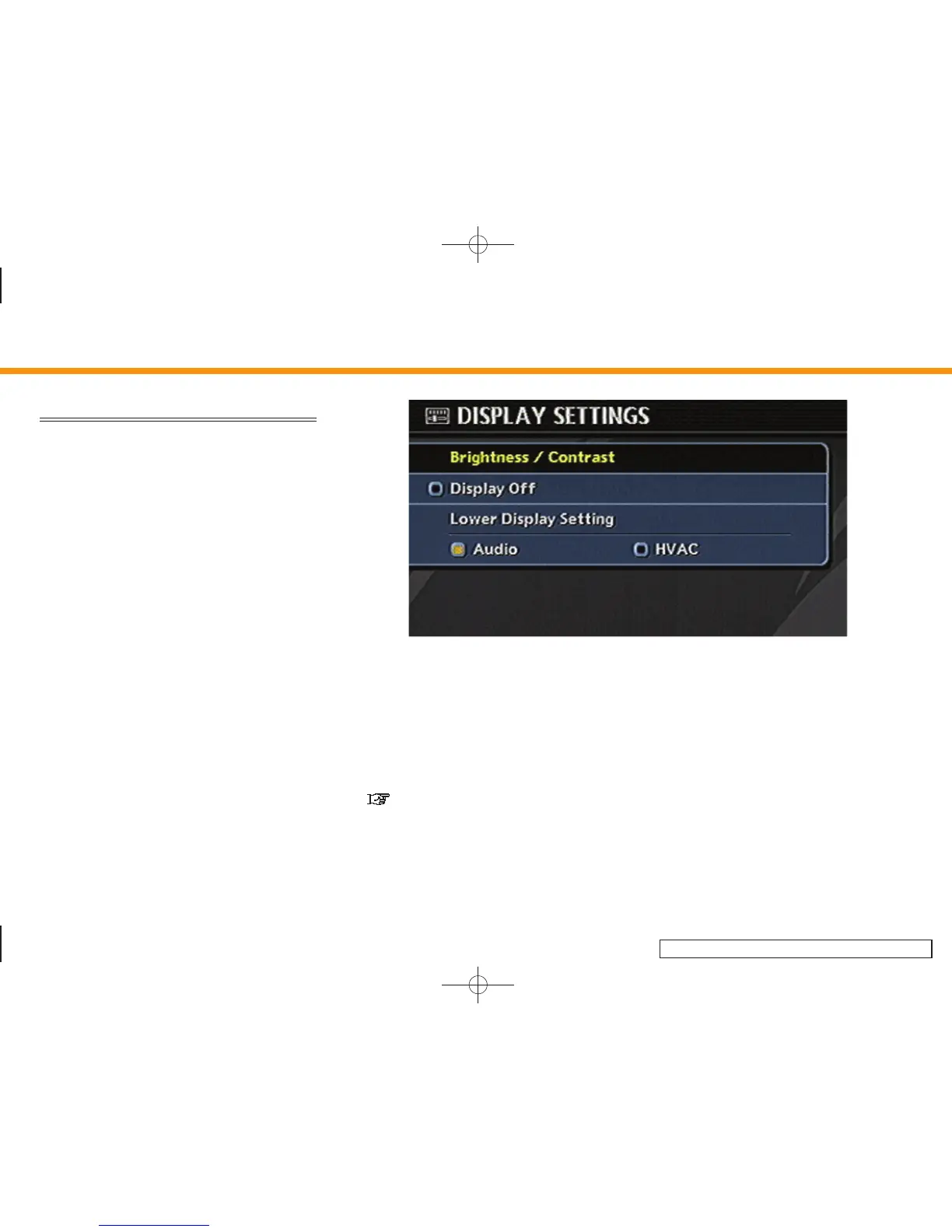
DISPLAY SETTINGS
This menu allows you to turn on and off the
display and adjust the image quality.
Basic operation
1. Highlight [Display] and push <ENTER>.
2. Highlight the preferred adjustment item
and push <ENTER>.
3. Use the joystick, the main directional
buttons or the center dial to adjust to
the preferred setting.
4. After setting, push <ENTER> or <BACK>
to apply the setting.
5. Push <BACK> to return to the previous
screen. Push <MAP> to return to the
current location map screen.
INV3038
Available setting items
. Brightness/Contrast
Allows you to adjust the screen bright-
ness and contrast, and set the back-
ground color.
. Display off
Allows you to turn on/off the screen.
“Display off” (page 8-5)
. Lower Display Setting
Refer to the Owner’s Manual of your
vehicle.
8. Other settings
8-4


 To Next Page
 Loading...