Black plate (250,1)
Model "INFINITI_NAVI" EDITED: 2006/ 3/ 20
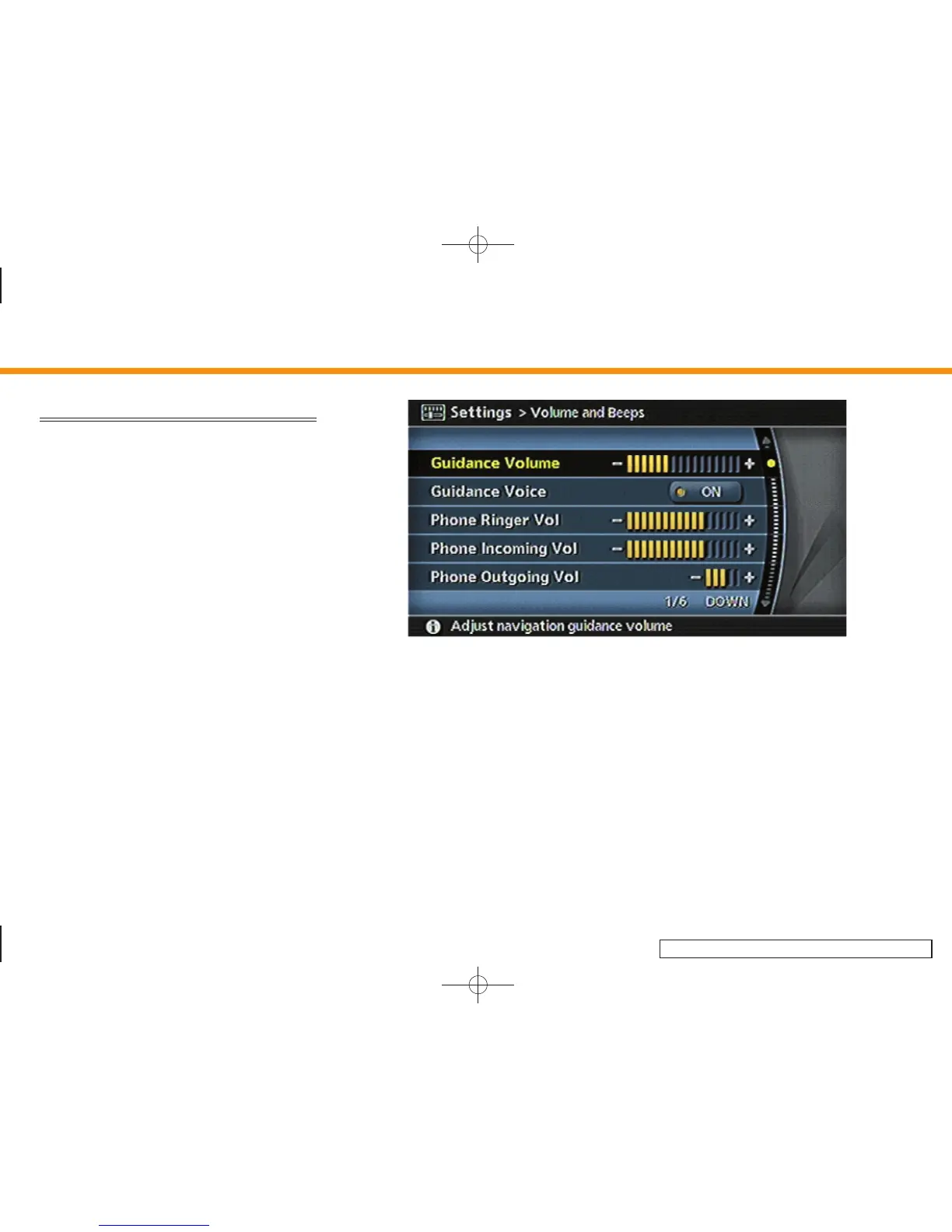
VOLUME ADJUSTMENT
This allows you to turn on and off, as well
as adjust, the phone function (ringer,
incoming and outgoing volume), the voice
guide function and the beep function.
Basic operation
1. Highlight [Volume and Beeps] and push
<ENTER>.
2. Highlight the preferred adjustment item
and push <ENTER>.
3. Use the joystick, the main directional
buttons or the center dial to adjust the
volume.
Push <ENTER> to set ON/OFF.
4. After setting, push <ENTER> or <BACK>
to apply the setting.
5. Push <BACK> to return to the previous
screen. Push <MAP> to return to the
current location map screen.
INV2783
Setting items
. Guidance Volume:
Adjust the volume level of voice gui-
dance by tilting the joystick in the
direction of [+] or [–], pushing the main
directional buttons or rotating the
center dial in the direction of [+] or [–].
. Guidance Voice:
Select to toggle the voice guidance
function between on and off. The
indicator light illuminates when the
voice guidance function is set to on.
. Phone Ringer Vol (M45/M35 only):
Adjust the volume level of the phone
ringer by tilting the joystick in the
direction of [+] or [–], pushing the main
directional buttons or rotating the
center dial in the direction of [+] or [–].
. Phone Incoming Vol (M45/M35 only):
Adjust the phone incoming volume by
tilting the joystick in the direction of [+]
or [– ], pushing the main directional
buttons or rotating the center dial in
the direction of [+] or [–].
8. Other settings
8-18


 To Next Page
 Loading...