Black plate (252,1)
Model "INFINITI_NAVI" EDITED: 2006/ 3/ 20
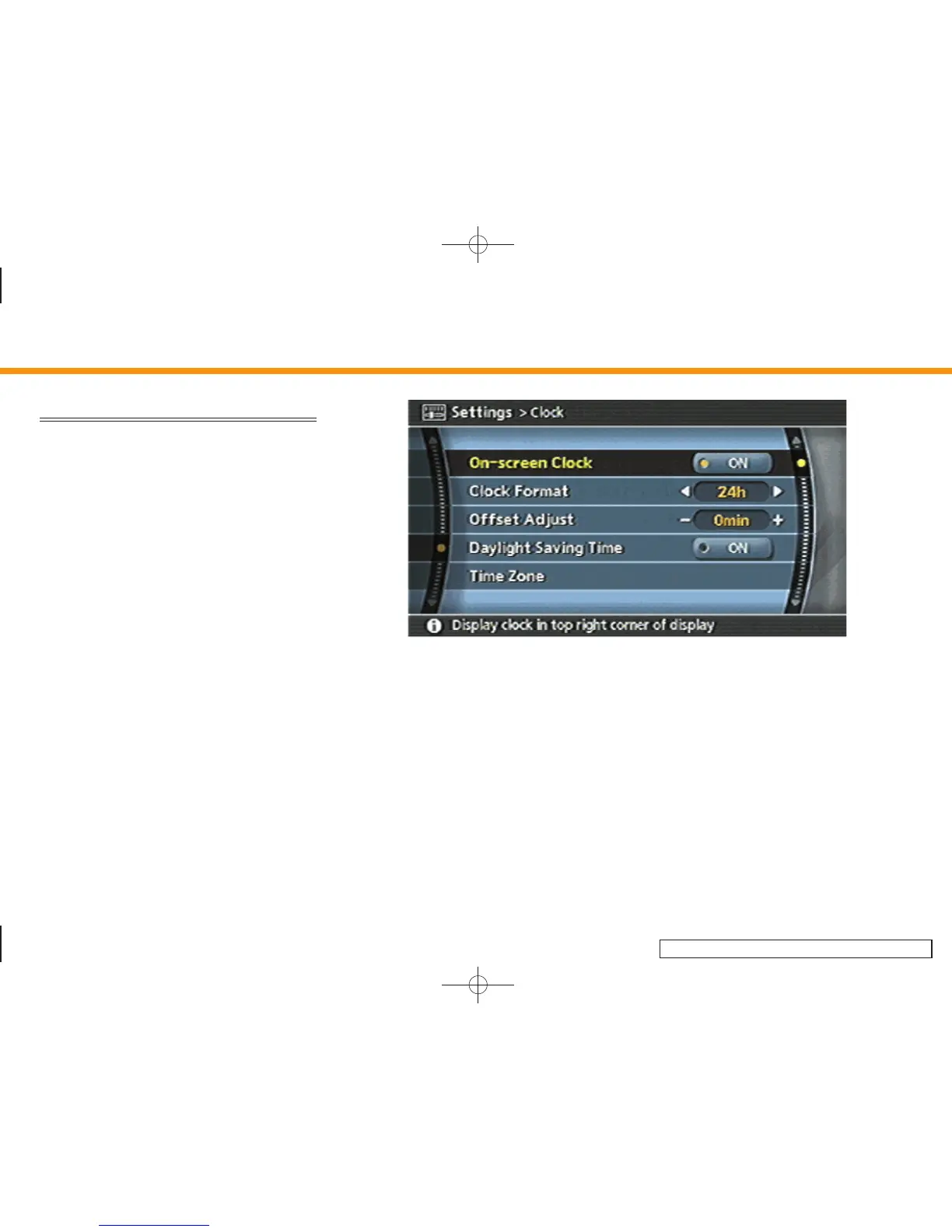
CLOCK SETTINGS
This allows you to change the clock
settings.
Basic operation
1. Highlight [Clock] and push <ENTER>.
2. Highlight the preferred adjustment item
and push <ENTER>.
3. Use the joystick, the main directional
buttons or the center dial to adjust to
the preferred setting.
Push <ENTER> to set ON/OFF.
4. After setting, push <ENTER> or <BACK>
to apply the setting.
5. Push <BACK> to return to the previous
screen. Push <MAP> to return to the
current location map screen.
INV2718
Setting items
. On-screen Clock:
Select to toggle the clock display
located in the top right corner of the
display between on and off. The in-
dicator light illuminates when the clock
display is set to on.
. Clock Format:
Use the joystick, the main directional
buttons or the center dial to change the
clock format between 12-hour and 24-
hour.
. Offset Adjust:
Use the joystick, the main directional
buttons or the center dial to adjust the
offset value (between –59 and +59).
. Daylight Saving Time:
Select to toggle the daylight saving
time setting between on and off. The
indicator light illuminates when the
daylight saving time setting is set to
on.
8. Other settings
8-20


 To Next Page
 Loading...