Black plate (255,1)
Model "INFINITI_NAVI" EDITED: 2006/ 3/ 20
INV2720
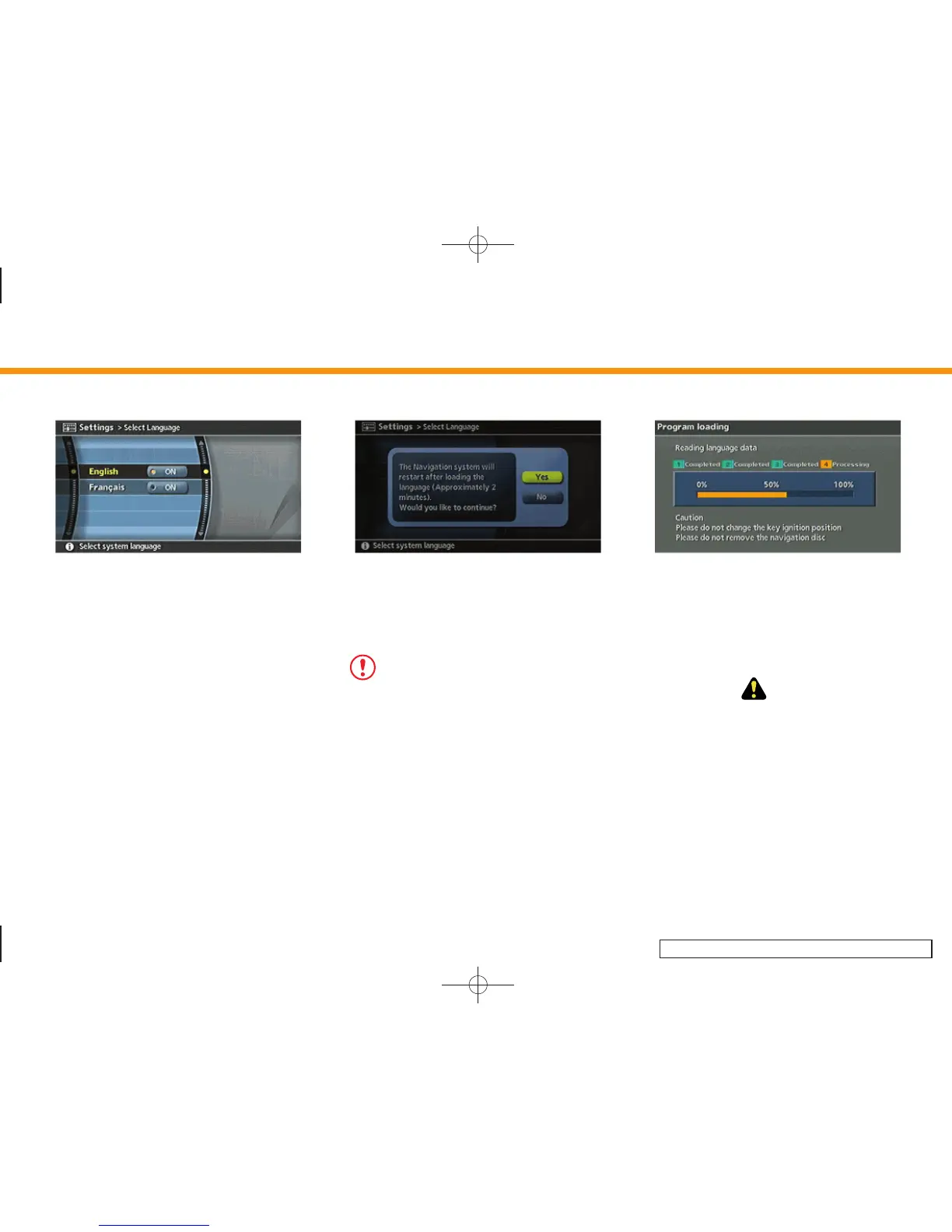
3. Highlight the preferred setting item and
push <ENTER>. The indicator light of the
selected item illuminates.
Available languages
— English
— Français
INV2964
4. A message is displayed. Confirm the
contents of the message.
After confirming the message, highlight
[Yes] and push <ENTER>.
NOTE:
If you change the language, the stored
voicetags are deleted. (M45/M35 only)
INV2796
5. The program loading screen is dis-
played, and the system initiates lan-
guage setting. Upon completion, the
start-up screen is automatically dis-
played.
CAUTION!
Do not change the ignition switch position
while changing the language. Doing so may
cause a system malfunction.
8. Other settings
8-23


 To Next Page
 Loading...