Black plate (266,1)
Model "INFINITI_NAVI" EDITED: 2006/ 3/ 20
INV2831
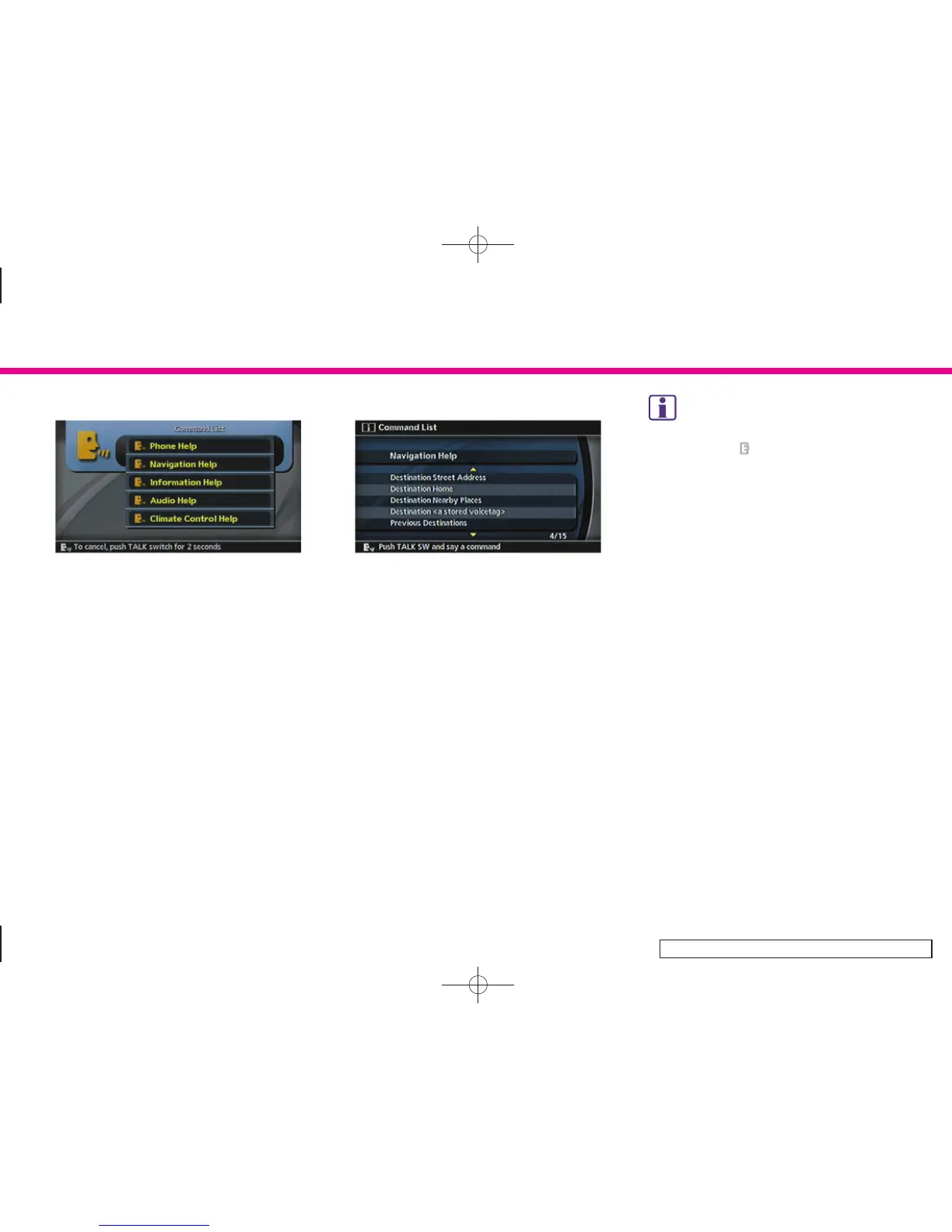
4. The system confirms the recognized
command, and a list of command list
categories appears.
5. After the tone sounds, speak “Naviga-
tion help”.
INV2794
6. The system confirms the recognized
command, and a list of navigation
commands appears.
INFO:
.
Voice commands cannot be accepted when
the icon is [
].
.
The list displayed can be scrolled by tilting
<ENTER> on the steering switch.
.
If the comman d is not recognized, the
system announces, “Please say agai n”.
Repeat the command in a clear voice.
.
Push <TALK> or <BACK> once to return to the
previous screen.
.
If you want to cancel the command, push
and hold <TALK> for 1 second. The message
“Voice cancelled” will be announced.
.
Speak “Wait” or “Pause” to pause the
operation.
Push <TALK> to restart the operation.
After “Wait” or “Pause” is recognized, the
system pauses for 20 seconds, and then
automatically restart the operation.
.
If you want to adjust the volume of the
system feedback, push the volume control
buttons (+ or –) on the steering switch or
use the audio system volume knob while the
system is making an announcement.
9. Voice recognition (M45/M35 only)
9-4


 To Next Page
 Loading...