[ Edit: 2016/ 6/ 21 Model: 2017MY INFINITI Q50(V37) OM17E00V37U0 ]
JVP0350X
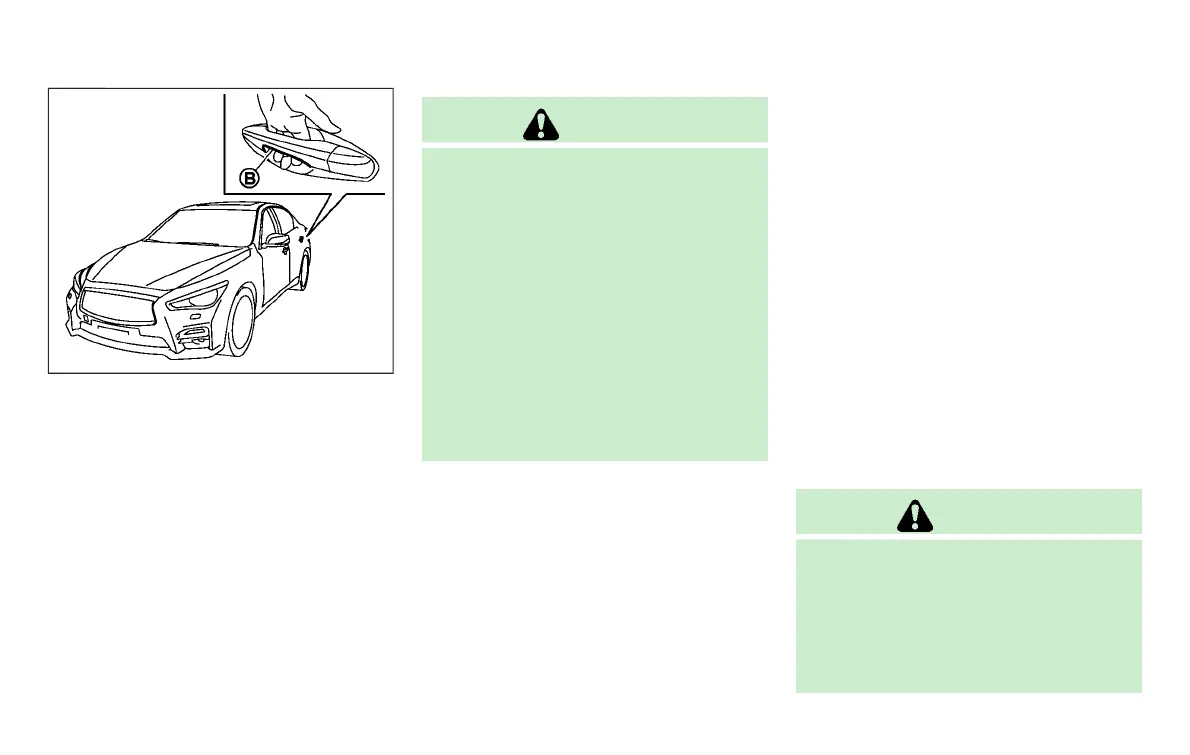
You can also unlock the corresponding
door by touching the one touch unlock
sensor
*
B
(driver’s or front passenger’s)
within the range of operation, and can
unlock the other doors using the door
handle request switch
*
A
.
When you lock or unlock the doors or the
trunk lid, the hazard indicator will flash
and the horn (or the outside chime) will
sound as a confirmation. For details, see
“Setting hazard indicator and horn mode”
(P.3-19).
CAUTION
. After locking the doors using the request
switch, make sure that the doors have
been securely locked by operating the
door handles.
. When locking the doors using the
request switch, make sure to have the
Intelligent Key in your possession before
operating the request switch to prevent
the Intelligent Key from being left in the
vehicle.
. The request switch and one touch unlock
sensor are operational only when the
Intelligent Key has been detected by the
Intelligent Key system.
Welcome light and farewell light
function
GUID-79ABEFFA-36FC-44D4-86B9-4E786EBEA8BE
When you lock or unlock the doors and
fuel-filler door, front and rear side marker
lights, parking lights, tail lights and the
license plate light will illuminate for a
period of time. The welcome light and
farewell light function can be disabled. For
information about disabling the welcome
light and farewell light function, see the
Infiniti InTouch Owner’s Manual.
Lockout protection
GUID-B6EB1162-CCA6-4EBC-9F3F-C27EA38C3BF5
To prevent the Intelligent Key from being
accidentally locked in the vehicle, lockout
protection is equipped with the Intelligent
Key system.
When the driver’s side door is open, the
doors are locked, and then the Intelligent
Key is put inside the vehicle and all the
doors are closed; the lock will automati-
cally unlock and the door buzzer sounds.
NOTE:
The doors may not lock when the Intelli-
gent Key is in the same hand that is
operating the request switch to lock the
door. Put the Intelligent Key in a purse,
pocket or your other hand.
CAUTION
The lockout protection may not function
under the following conditions:
. When the Intelligent Key is placed on top
of the instrument panel.
. When the Intelligent Key is placed inside
the glove box or a storage bin.
Pre-driving checks and adjustments 3-11
Condition:


 To Next Page
 Loading...