[ Edit: 2016/ 6/ 21 Model: 2017MY INFINITI Q50(V37) OM17E00V37U0 ]
5-26 Starting and driving
PERSONAL MODE
GUID-AA2B2505-680A-406F-A90C-ABF95CA4D5B1
When the PERSONAL mode is selected, the
following functions can be adjusted indivi-
dually.
. Engine/Transmission
. Steering
. Suspension (if so equipped)
. Active Trace Control
JVS0246X
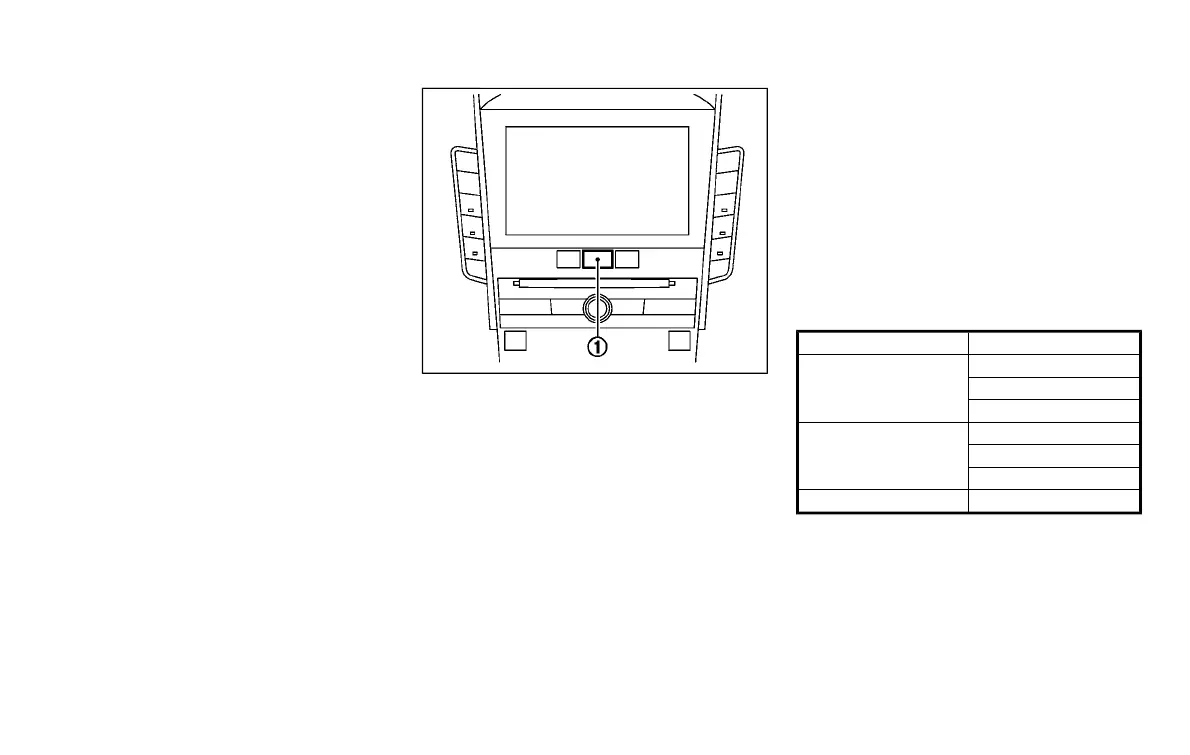
How to set the PERSONAL mode
GUID-1FAB1089-86C4-40F5-B556-B47AB8217AD9
Perform the following steps to set the
PERSONAL mode.
1. Push the MENU button
*
1
and touch
[Infiniti Drive Mode Selector] on the
lower display.
2. Touch [Engine/Transmission], [Steer-
ing], [Suspension] (if so equipped) or
[Active Trace Control] and select each
item. (See “Engine/Transmission”,
“Steering”, “Suspension” and “Active
Trace Control” about the feature of each
item.)
3. Touch [Back] or [Home] to finish the
PERSONAL mode setting.
Engine/Transmission:
GUID-B3090170-8371-42E2-B576-1897FB749982
“Engine/Transmission” can be set to
[Sport], [Eco] (if so equipped), [Standard]
or [Snow].
Steering (models with Direct Adaptive
Steering):
GUID-120511B5-2D0E-49FC-B5A6-66F7824E85DB
Seven or four combinations of steering
mode and steering response can be set.
Mode Response
Sport+ (if so equipped)
Dynamic+
Dynamic
Default
Sport
Dynamic+
Dynamic
Default
Standard Default
Steering (models without Direct Adaptive
Steering):
GUID-B942CE1F-DF2A-4733-ADA3-491FC356089B
“Steering” can be set to [Sport] or [Stan-
dard].
Suspension (if so equipped):
GUID-869BC715-B5C2-4C3E-A534-A4261163315E
“Suspension” can be set to [Sport] or
[Standard].
Condition:


 To Next Page
 Loading...