[ Edit: 2016/ 6/ 21 Model: 2017MY INFINITI Q50(V37) OM17E00V37U0 ]
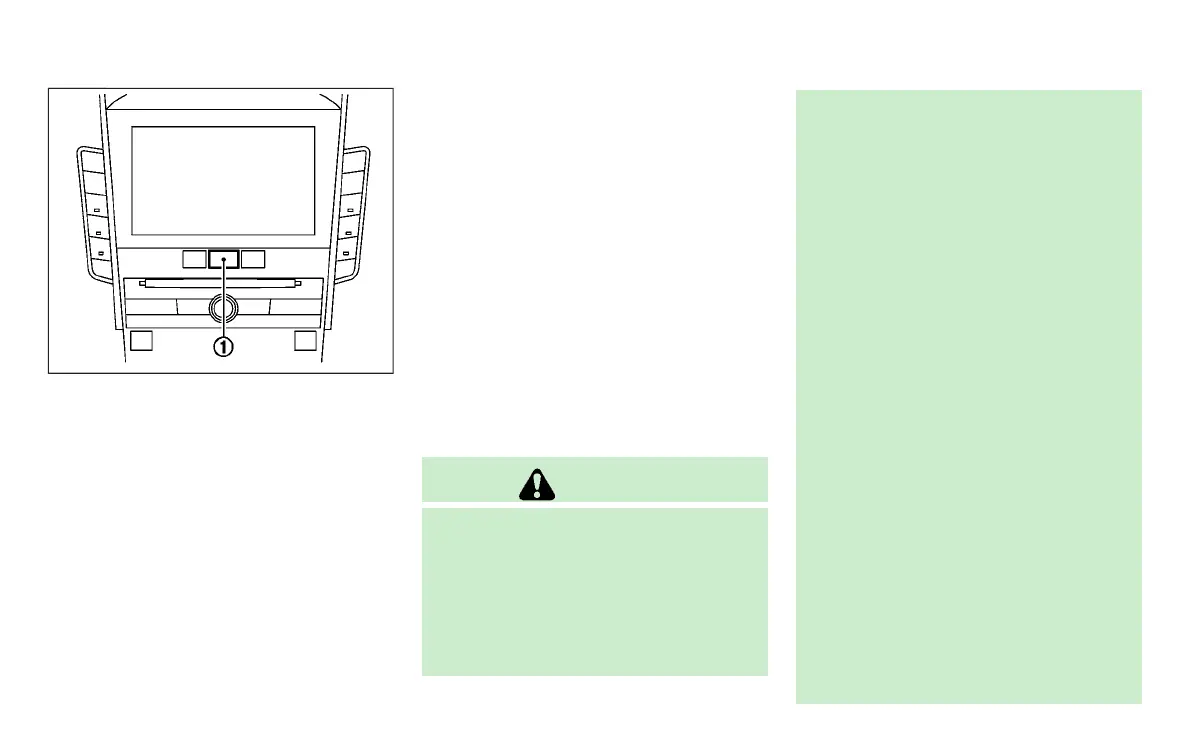
JVS0246X
HOW TO ENABLE/DISABLE THE BSW
SYSTEM
GUID-1D948FE6-E27C-4414-8387-2CBE0E264C7E
Perform the following steps to enable or
disable the BSW system.
1. Push the MENU button
*
1
and touch
[Driver Assistance] on the lower dis-
play.
2. Touch [Blind Spot Assist].
3. Touch [Blind Spot Warning] to enable or
disable the system.
Setting the side indicator light
brightness
GUID-56122B58-1905-4FFD-8173-438CCEC51371
The brightness of the side indicator lights
can be changed using the following steps:
1. Push the MENU button
*
1
and touch
[Driver Assistance] on the lower dis-
play.
2. Touch [Blind Spot Assist].
3. Touch [+] or [-] in [Side Indicator
Brightness] to select [Bright], [Stan-
dard] or [Dark].
When the brightness setting is changed,
the side indicator lights illuminate for a few
seconds.
BSW SYSTEM LIMITATIONS
GUID-58339DFB-B468-47E7-9AC6-8C7BB87CC49C
WARNING
Listed below are the system limitations for
the BSW system. Failure to operate the
vehicle in accordance with these system
limitations could result in serious injury or
death.
. The BSW system cannot detect all
vehicles under all conditions.
. The radar sensors may not be able to
detect and activate BSW when certain
objects are present such as:
—
Pedestrians, bicycles, animals.
—
Vehicles such as motorcycles, low
height vehicles, or high ground
clearance vehicles.
—
Oncoming vehicles.
—
Vehicles remaining in the detection
zone when you accelerate from a
stop.
—
A vehicle merging into an adjacent
lane at a speed approximately the
same as your vehicle.
—
A vehicle approaching rapidly from
behind.
—
A vehicle which your vehicle over-
takes rapidly.
—
A vehicle that passes through the
detection zone quickly.
. The radar sensor’s detection zone is
designed based on a standard lane
width. When driving in a wider lane, the
radar sensors may not detect vehicles in
an adjacent lane. When driving in a
narrow lane, the radar sensors may
Starting and driving 5-45
Condition:


 To Next Page
 Loading...