[ Edit: 2016/ 8/ 1 Model: 2017MY INFINITI Q70(Y51) OM17E00Y51U0 ]
SIC3270
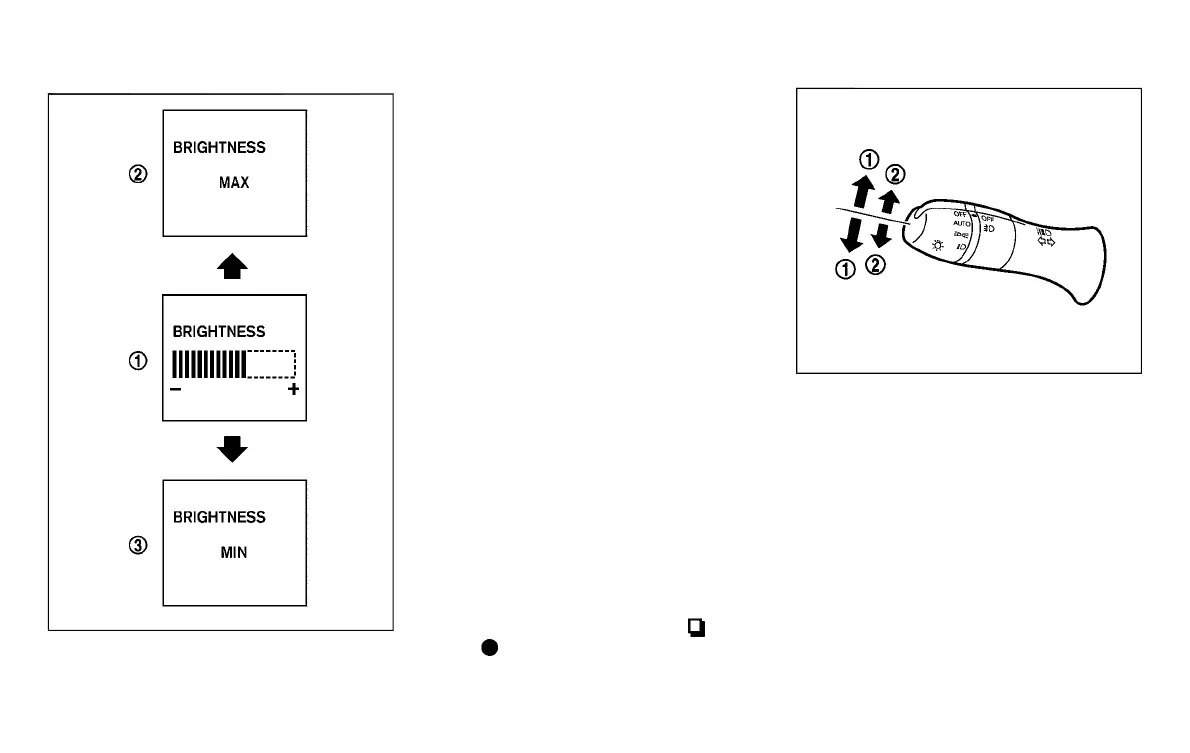
Instrument brightness control
Y51D-V-E01-8EFD1E27-5505-471E-A11D-ADBE8B1FDF70
The instrument brightness control switch
can be operated when the ignition switch is
in the ON position. When the switch is
operated, the vehicle information display
switches to the brightness adjustment
mode.
Push the upper switch
*
A
to brighten the
instrument panel lights. The bar
*
1
moves
to the + side. When reaching the maximum
brightness, “MAX” appears on the display
*
2
.
Push the lower switch
*
B
to dim the
instrument panel lights. The bar
*
1
moves
to the − side. When reaching the minimum
brightness, “MIN” appears on the display
*
3
. However, “MIN” does not appear
during the nighttime.
The vehicle information display returns to
the normal display under the following
conditions:
. when the instrument brightness control
switch is not operated for more than 5
seconds.
. when the side or front of the
switch
or
switch on the right side of the
combination meter panel is pushed.
SIC3271
TURN SIGNAL SWITCH
Y51D-V-E01-6122787A-8BE2-4BAE-BE63-A9E30B7A7A07
*
1
Turn signal
Y51D-V-E01-4E6F4533-6680-4995-B4E2-B3CE9D242130
Move the lever up or down to signal the
turning direction. When the turn is com-
pleted, the turn signals cancel automati-
cally.
*
2
Lane change signal
Y51D-V-E01-9CBD8B3D-027A-4B76-813E-425FD896C905
. Move the lever up or down until the turn
signal begins to flash, but the lever
does not latch, to signal a lane change.
Hold the lever until the lane change is
completed.
Instruments and controls 2-41
Condition:



 To Next Page