[ Edit: 2016/ 8/ 1 Model: 2017MY INFINITI Q70(Y51) OM17E00Y51U0 ]
2-48 Instruments and controls
Y51D-V-E01-45493C10-3BA4-49EC-9DCE-41E4ED9EED08
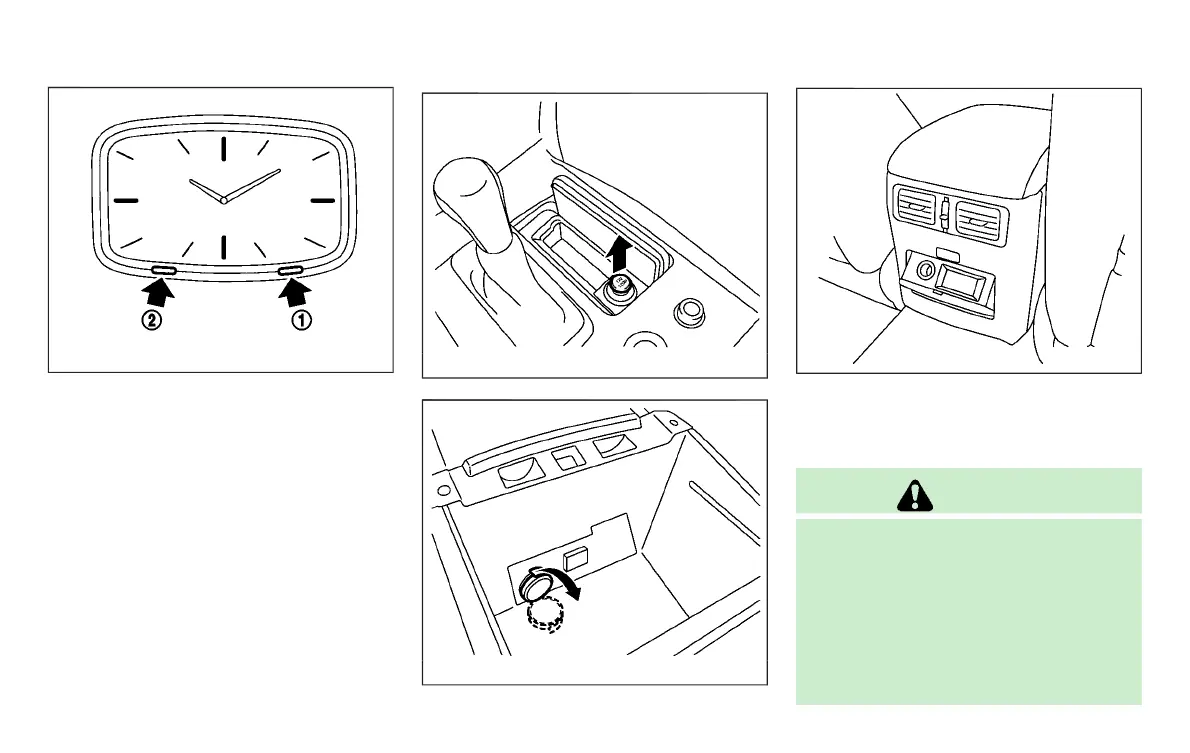
SIC4338
If the power supply is disconnected, the
clock will not indicate the correct time.
Readjust the time.
ADJUSTING THE TIME
Y51D-V-E01-E5BD8934-435C-40FF-97E1-AD088819A5C5
1. To set the clock forward, push the
button
*
1
.
2. To set the clock backward, push the
button
*
2
.
3. To move forward or backward faster,
push and hold the button more than 5
seconds.
For details about display clock adjustment
(if so equipped), see “How to use SETTING
button” (P.4-16).
Y51D-V-E01-42C176E4-70E1-482B-AA1F-4C9A9B43B7C4
JVI1133X
Front
SIC4339
Center console
JVI1161X
Behind the center console (if so equipped)
The power outlet is used for powering
electrical accessories such as cellular
telephones.
CAUTION
. The outlet and plug may be hot during or
immediately after use.
. Do not use with accessories that exceed
a 12 volt, 120W (10A) power draw. Do
not use double adapters or more than
one electrical accessory.
. Use power outlet with the engine run-
ning to avoid discharging the vehicle
CLOCK POWER OUTLET
Condition:



 To Next Page