[ Edit: 2016/ 8/ 1 Model: 2017MY INFINITI Q70(Y51) OM17E00Y51U0 ]
being played, the CD will play while fast
forwarding or rewinding. When the button
is released, the CD will return to normal
play speed.
When the
or button is pushed for
less than 1.5 seconds while the CD is being
played, the next track or the beginning of
the current track on the CD will be played.
RANDOM (RDM), REPEAT (RPT):
Y51D-V-E01-1B2CBF90-F5B4-4996-98FE-4C83E85FE5E5
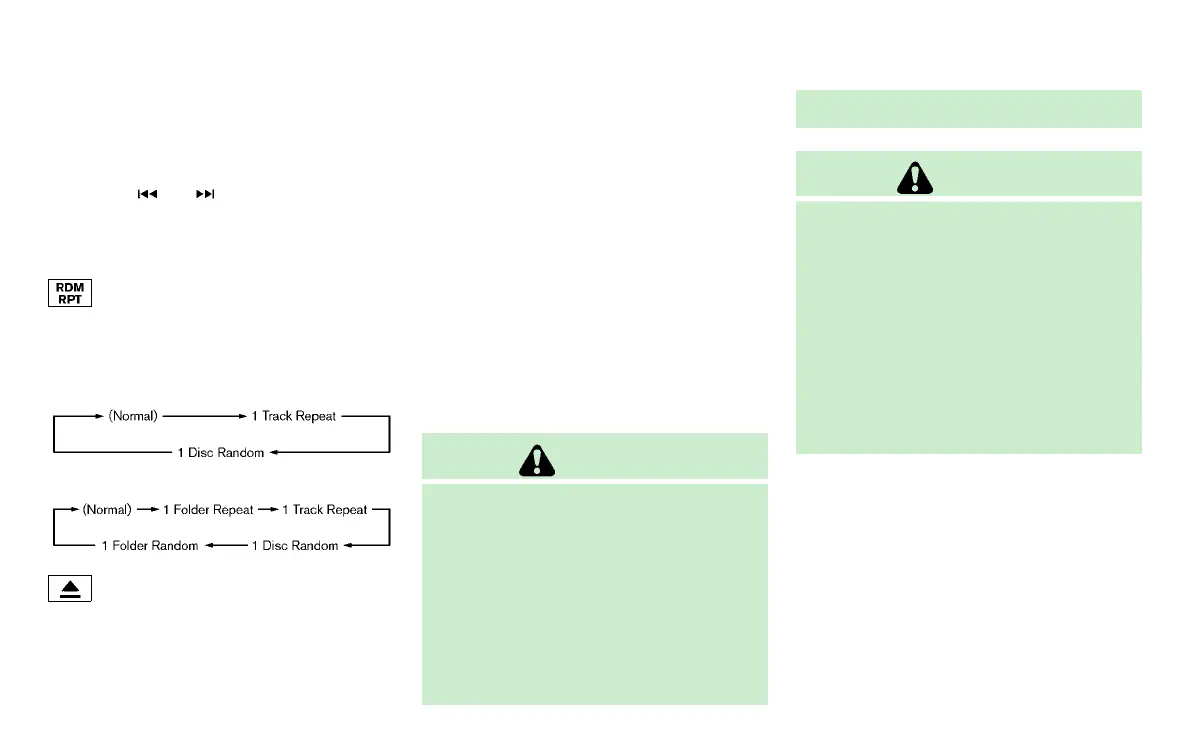
When the RPT button is pushed while the
CD is played, the play pattern can be
changed as follows:
(CD)
NOS2606
(CD with compressed audio files)
NOS2607
CD EJECT:
Y51D-V-E01-81DF2B29-47CD-4CD0-9960-7107C2F3F97E
When the CD EJECT button is pushed with
the CD loaded, the CD will be ejected.
If the CD comes out and is not removed, it
will be pulled back into the slot to protect
it.
DVD (Digital Versatile Disc) PLAYER
OPERATION (models with naviga-
tion system)
Y51D-V-E01-22FC6D4C-0C76-44F4-8998-0866BCCB68BB
Precautions
Y51D-V-E01-D5D99183-E6AE-448A-8ACC-A4F30859332C
Start the engine when using the DVD
entertainment system.
Movies will not be shown on the front
display while the vehicle is in any drive
position to reduce driver distraction. Audio
is available when a movie is played. To view
movies in the front display, stop the
vehicle in a safe location, move the shift
lever to the P (Park) position.
WARNING
. The driver must not attempt to operate
the DVD system or wear the headphones
while the vehicle is in motion so that full
attention may be given to vehicle opera-
tion.
. Do not attempt to modify the system to
display a movie on the front screen while
the vehicle is being driven. Doing so may
distract the driver and may cause a
collision and serious personal injury or
death.
CAUTION
. Only operate the DVD while the vehicle
engine is running. Operating the DVD for
extended periods of time with the engine
OFF can discharge the vehicle battery.
. Do not allow the system to get wet.
Excessive moisture such as spilled
liquids may cause the system to mal-
function.
. While playing VIDEO-CD media, this DVD
player does not guarantee complete
functionality of all VIDEO-CD formats.
Display settings
Y51D-V-E01-53F4FBE0-9CD0-405C-B003-65030AE4A681
To adjust the front display mode, push the
SETTING button while the DVD is being
played, select the “Others” key and then
select the “Display” key.
To adjust the display ON/OFF, brightness,
tint, color and contrast, select the “Display
Adjustment” key and then select each key.
Then you can adjust each item using the
INFINITI controller. After changes have
Monitor, climate, audio, phone and voice recognition systems 4-79
Condition:


 To Next Page
 Loading...
