[ Edit: 2016/ 8/ 1 Model: 2017MY INFINITI Q70(Y51) OM17E00Y51U0 ]
following items.
. Shuffle
Choose “Shuffle OFF”, “Shuffle All
Tracks” and “Shuffle Group”.
. Repeat
Choose from “Repeat OFF”, “Repeat 1
Track”, “Repeat All Tracks” and “Repeat
Group”.
SAA2511
Bluetooth
®
settings
Y51D-V-E01-73EE045D-E501-4A8A-937F-C97BEC936EC2
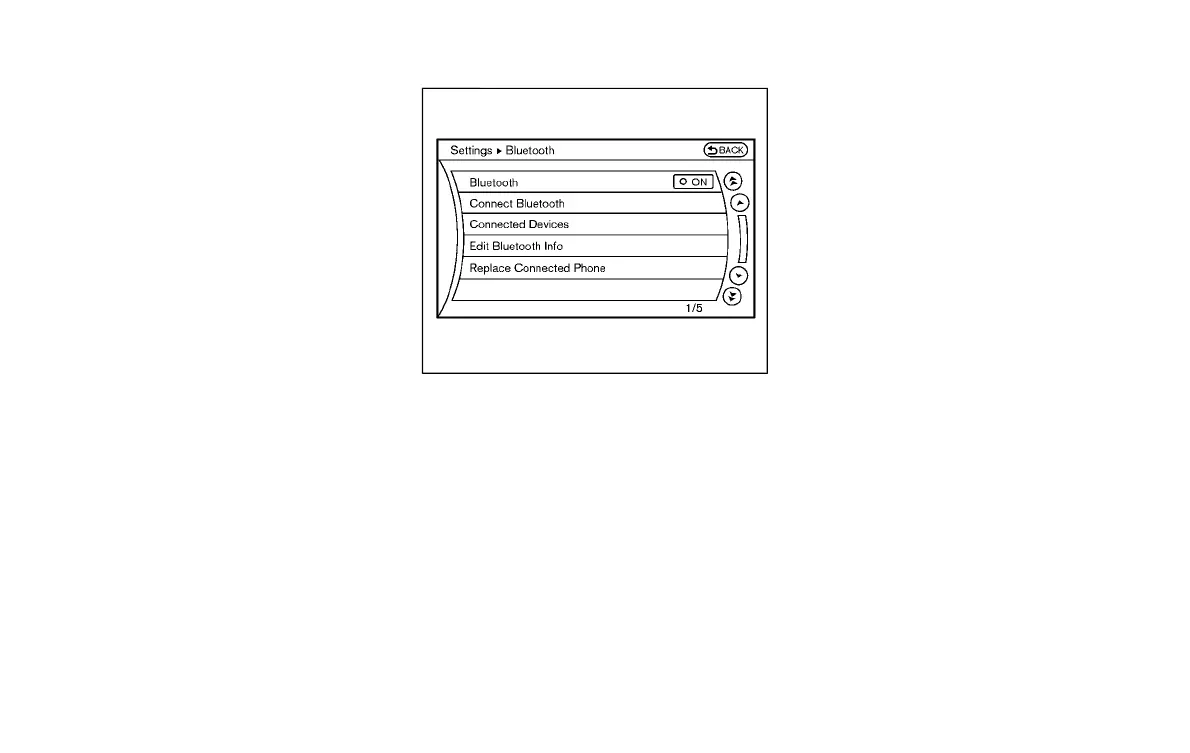
To set up the Bluetooth
®
device system to
the preferred settings, push the SETTING
button and select the “Bluetooth” key.
Bluetooth:
Y51D-V-E01-38FF79ED-A6B3-4EBF-89D4-1E23E6F7357A
If this setting is turned off, the connection
between the Bluetooth
®
devices and the
in-vehicle Bluetooth
®
module will be can-
celed.
Connect Bluetooth:
Y51D-V-E01-730F1803-E8C1-4F72-8B8B-A57EAEC41264
Connects to the Bluetooth
®
device. See
“Connecting procedure” (P.4-88). Up to 5
devices can be registered.
Connected Devices:
Y51D-V-E01-8FB8E53A-22B6-457E-95AE-CE4163136D7A
Registered devices are shown on the list.
Select a Bluetooth
®
device from the list,
the following options will be available.
. Select
Select “Select” to connect the selected
device to the vehicle. If there is a
different device currently connected,
the selected device will replace the
current device.
. Edit
Rename the selected Bluetooth
®
device
using the keypad displayed on the
screen. (See “How to use touch screen
(models with navigation system)” (P.4-
6).)
. Delete
Delete the selected Bluetooth
®
device.
Edit Bluetooth Info:
Y51D-V-E01-A8739909-049A-4465-914C-0B4361F64E3E
Change the name broadcasted by this
system over Bluetooth
®
. Change the PIN
code that is entered when connecting a
hands free device to this system.
Replace Connected Phone:
Y51D-V-E01-9D71AEAD-C49F-4B32-9F2D-CD63F2CA6CEA
Replace the Bluetooth
®
connection with a
connected Bluetooth
®
cellular phone. For
details about Hands-Free Phone System,
Monitor, climate, audio, phone and voice recognition systems 4-91
Condition:


 To Next Page
 Loading...
