[ Edit: 2016/ 8/ 1 Model: 2017MY INFINITI Q70(Y51) OM17E00Y51U0 ]
5-62 Starting and driving
NOTE:
. In the case of several vehicles ap-
proaching in a row (illustration 1) or
from the opposite direction (illustra-
tion 2), a chime may not be sounded by
the BCI system after the first vehicle
passes the sensors.
. The sonar system chime indicating
there is an object behind the vehicle
has a higher priority than the BCI
chimes (once) indicating an approach-
ing vehicle. If the sonar system detects
an object behind the vehicle and the
BCI system detects an approaching
vehicle at the same time, the following
indications are provided:
— The sonar system chime sounds
— The side indicator light on the side
of the approaching vehicle flashes,
and
— A yellow rectangular frame appears
in the display.
JVS0477X
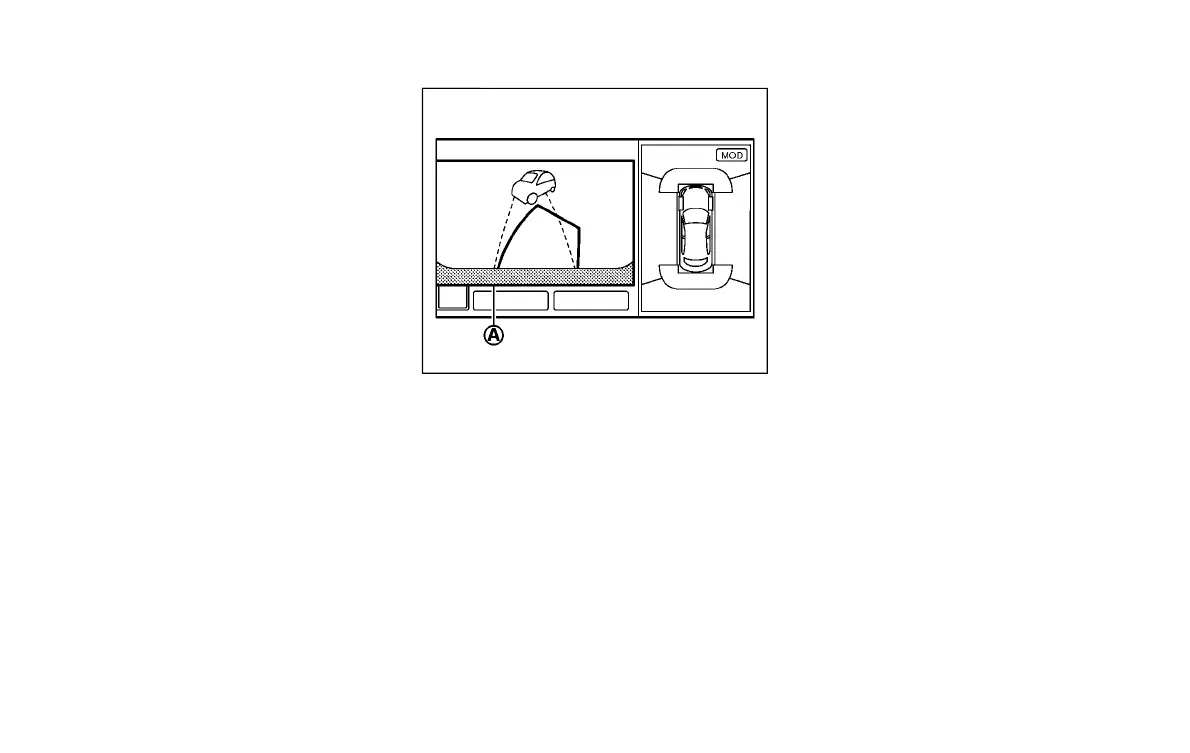
If an approaching vehicle or object behind
the vehicle is detected when your vehicle is
backing up, a red frame
*
A
will appear on
the display and the system will chime three
times. Then, the brakes will be applied
momentarily. After the automatic brake
application, the driver must depress the
brake pedal to maintain brake pressure.
If the driver’s foot is on the accelerator
pedal, the system moves the accelerator
pedal upward before the braking is ap-
plied. However, if you continue to accel-
erate, the system will not engage the
brakes.
The BCI system does not operate if the
object is very close to the bumper.
Condition:



 To Next Page