[ Edit: 2016/ 8/ 1 Model: 2017MY INFINITI Q70(Y51) OM17E00Y51U0 ]
SSD1002
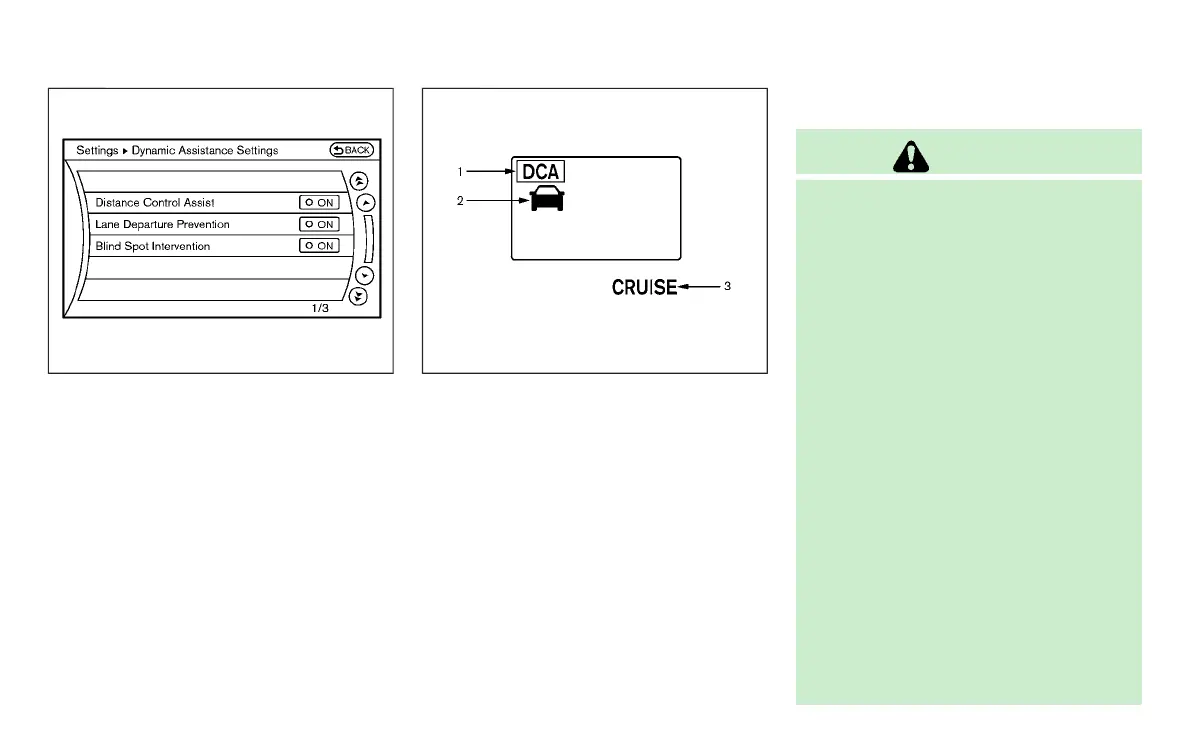
3. Highlight the “Distance Control Assist”
key, select ON (enabled) or OFF (dis-
abled) and push the ENTER button
*
2
.
For the LDP and BSI systems, see “Lane
Departure Warning (LDW) /Lane Departure
Prevention (LDP)” (P.5-24) and “Blind Spot
Intervention
®
(BSI)” (P.5-45).
SSD0994
DCA SYSTEM DISPLAY AND INDICA-
TORS
Y51D-V-E01-E190DFD9-BC47-47A2-A56E-F99466E70A9F
The display is located between the speed-
ometer and tachometer.
1. DCA system switch indicator:
Indicates that the dynamic driver assis-
tance switch is ON.
2. Vehicle ahead detection indicator:
Indicates whether it detects a vehicle in
front of you.
3. DCA system warning light (orange):
The light comes on if there is a
malfunction in the DCA system.
DCA SYSTEM LIMITATIONS
Y51D-V-E01-B04160A4-4E97-484F-B700-2A0B402937B4
WARNING
Listed below are the system limitations of
the DCA system. Failure to operate the
vehicle in accordance with these system
limitations could result in serious injury or
death.
. This system will not adapt automatically
to road conditions. Do not use the
system on roads with sharp curves, or
on icy roads, in heavy rain or in fog.
. The DCA system will not apply brake
control while the driver’s foot is on the
accelerator pedal.
. As there is a performance limit to the
distance control function, never rely
solely on the DCA system. This system
does not correct careless, inattentive or
absent-minded driving, or overcome
poor visibility in rain, fog, or other bad
weather. Decelerate the vehicle speed by
depressing the brake pedal, depending
on the distance to the vehicle ahead and
the surrounding circumstances in order
to maintain a safe distance between
vehicles.
Starting and driving 5-101
Condition:


 To Next Page
 Loading...
