to Z, if you choose one artist, a list will display the artists’ albums and
album list.
Find and play music
1. Tap the music application.
2. Tap artist, album or play list.
3. Select any music to play.
Add music to a play list
1. Tap the music application.
2. Enter to select music.
3. Tap and hold the music you want to add.
4. Tap “Add to playlist “, and select the play list you wish to add your
files to.
OR
1. Tap “new”.
2. Input a name for your new play list.
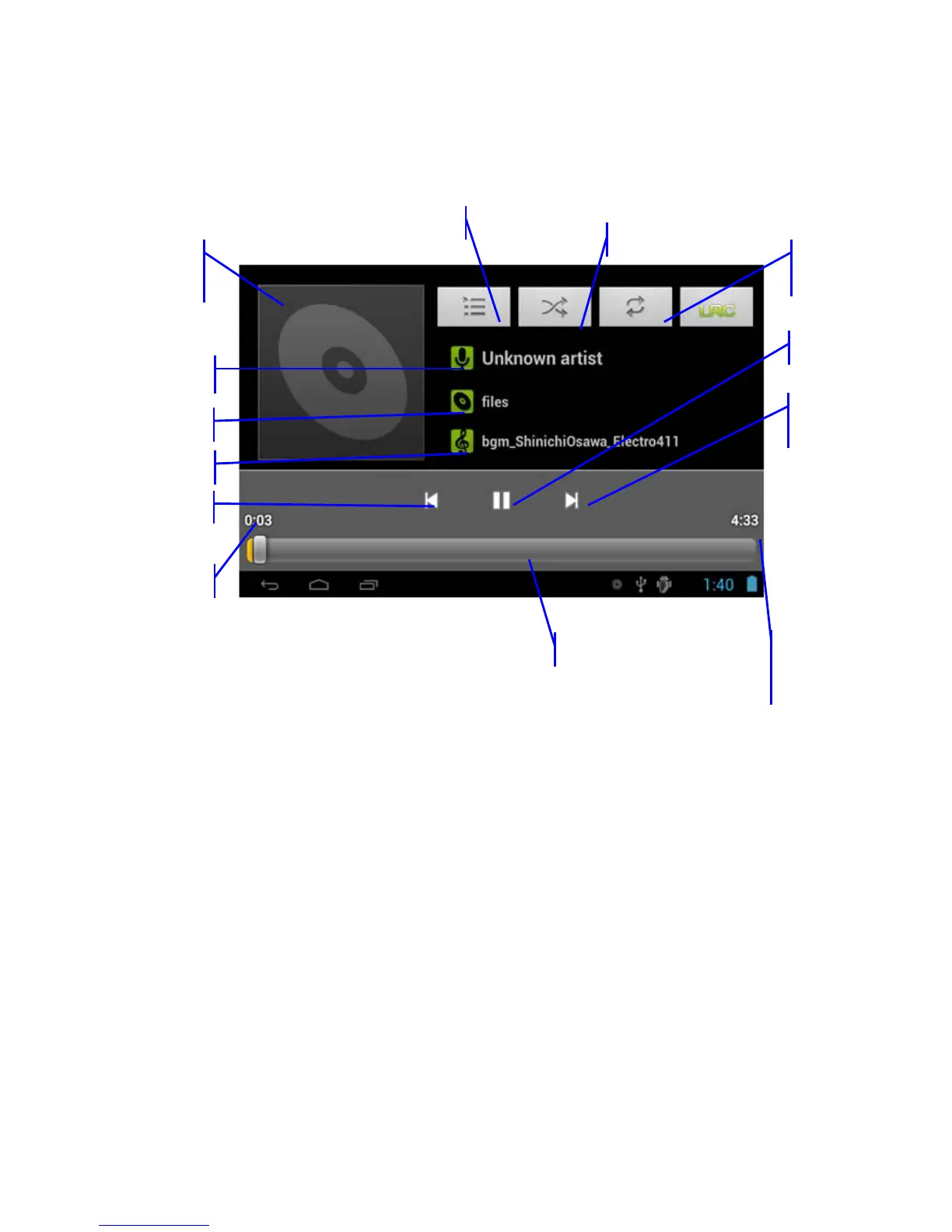
Cover of
album
cover
Artist
Previous song
Music
Played time
View current play list
Random play
Repeat
time
Music
total time
Play progress bar
Album
Pause
Next
song
8



 To Next Page