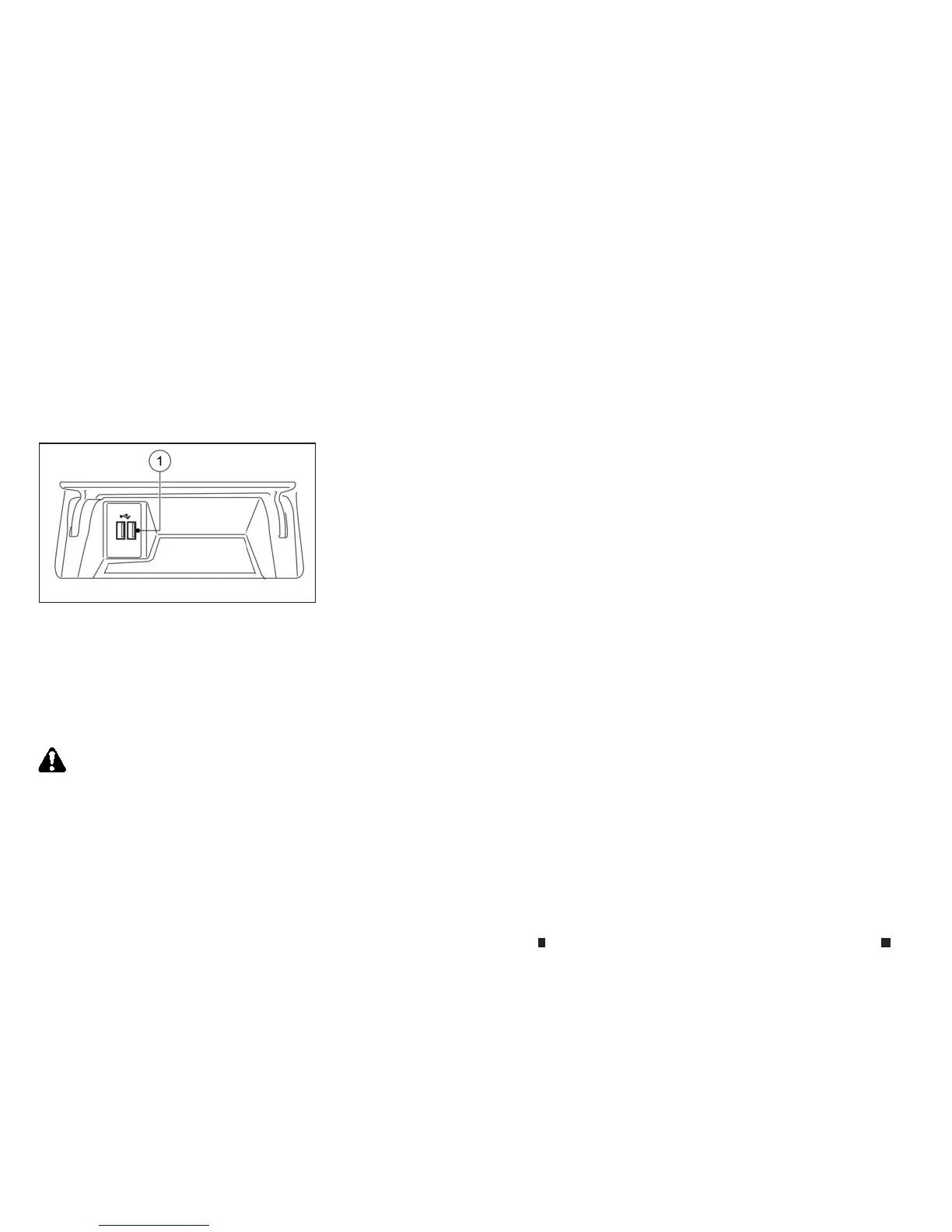
USB (Universal Serial Bus) connection
port/iPod
The Media Hub is located in the centre console
and consistsofthe USB connectors.
1) USB/iPod
connection port
Connect to play media from an iPod, iPhone
oraUSB memorydevice.When usingINFINITI
InTouchAppswith an iPhone, connect viaa
USB cable. Refer to the devicemanufactur-
er’s ownerinformation regarding the proper
useand care of the device.
WARNING
Do not connect, disconnect or operate the USB device
while driving. Doing so canbeadistraction. If dis-
tractedyou could lose control of your vehicle and
causeanaccident or seriousinjury.
CAUTION
•
Do not forcethe USB deviceinto the USB port. In-
sertingthe USB devicetilted or up-side-down into
the portmay damagethe port. Makesure that the
USB deviceisconnected correctly into the USB
port.
•
Do notgrab the USB portcover (where fitted)when
pulling the USB deviceout of the port. Thiscould
damagethe portand the cover.
•
Do not leave the USB cableinaplace where it can
be pulled unintentionally.Pulling the cablemay
damagethe port.
Thevehicle is not equipped with aUSB device.
USBdevices should be purchased separately as
necessary.
Thissystem cannot be used to format USB de-
vices. To format aUSB device, useapersonal
computer.
In someareas,the USBdevicefor the front seats
playsonlysound without images for regulatory
reasons, even when the vehicle is parked.
This systemsupports variousUSB memoryde-
vices, USB hard drives and iPod players. Some
USBdevices maynot be supported by thissys-
tem.
•
Partitioned USB devices maynot play correctly.
•
Somecharactersusedinotherlanguages(Chinese,
Japanese, etc.) maynot appear properly in the dis-
play.Using English languagecharacters withaUSB
deviceisrecommended.
Generalnotes for USB use:
Refer to your devicemanufacturer’s owner infor-
mation regarding the proper useand care of the
device.
Notes for iPod use:
iPod is atrademark of Apple Inc., registered in
the U.S. and other countries.
•
Improperlyplugging in the iPod maycause acheck-
mark to be displayed on and off (flickering). Always
make sure that the iPod is connected properly.
•
An iPod nano (1st Generation) mayremain in fast
forward or rewind mode if it is connected during a
seek operation. In thiscase, pleasemanually reset
the iPod.
•
AniPod nano(2nd Generation)will continue to fast-
forward or rewindifitis disconnectedduringaseek
operation.
•
An incorrect song title
ma
ya
ppear when the Play
Mode is changed while using an iPod nano (2nd
Generation)
•
Audiobooks maynot play in the same order as they
appear on an iPod.
NAA1628
4-50 Display screen, heater and air conditioner,and audio system


 To Next Page
 Loading...