j
5
[USB1]/[USB2]:
Touchtoswitchtothe other connected USB
memorydevice.
j
6
Albumartwork (where fitted):
An imageofthe CD cover is displayed when
available.
j
7
Tracknumber:
Thisindicates the tracknumber and the
total number of tracks.
j
8
[
m
]/[
m
]:
Touchtoplayorpause the track.
j
9
USB menu:
USBmenu items are displayed. Touchan
icon to display the list or to changethe set-
ting.
-[Folder/Track]
-[Artists]
-[Albums]
-[PreviousList]
-[Play Mode]
j
10
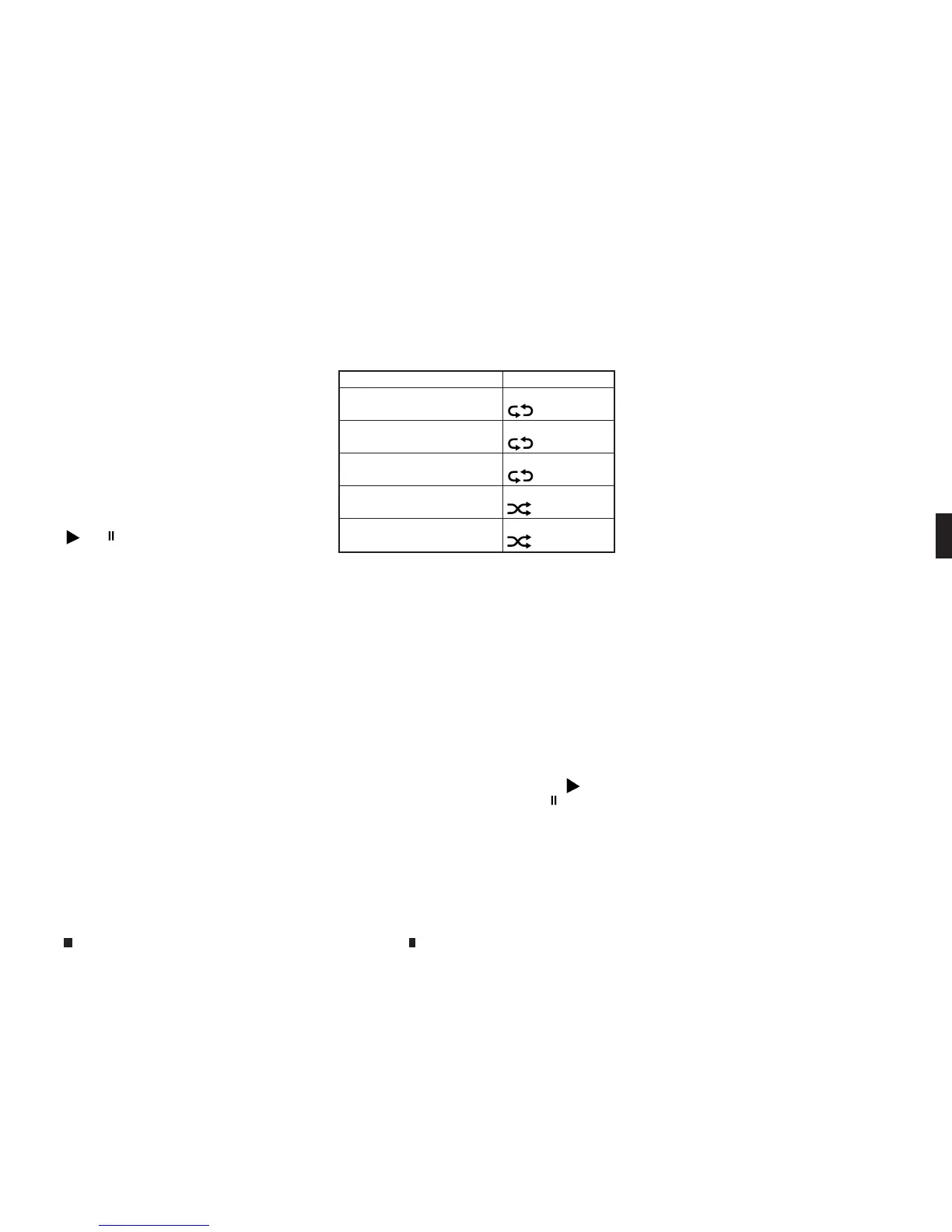
Play mode indicator:
Thisindicates the current play mode. Touch
to changethe play mode.
Mode Screen display
AllTrack Repeat
m
All
1Folder Repeat
m
1Folder
1Track Repeat
m
1Track
AllRandom
m
All
1Folder Random
m
1Folder
j
11
Folder/List number:
Thisindicates the folder,artistoralbum
number andthe total number of folders/
lists.
USB memorydeviceplayer operation
Activation and playing:
USBmemorydevicemode canalso be activated
fromthe audio sourcelistand the audio source
bar by the touchpanel operation or by pushing
<MEDIA>.
“Selecting audio source” page 4-58
“Main audio buttons” page4-57
To play the USB memorydevicetouch[
m
], and
to pausethe USB memorytouch[
m
]onthe
USB operation screen.
Selecting play list:
Select aplaylistbytouching an icon in the USB
menu.
•
Folder/Track (List)
•
Artist (List)
•
Album (List)
•
PreviousList
Skipping tracks/folders:
Push <SEEK•TRACK> to skip to the next or previ-
oustrack.
To skip to the next or previousfolder,Push
<TUNE•FOLDER>.
Fast-forwarding/rewinding:
Push and hold <SEEK•TRACK> to fast-forward or
rewind the track. Release<SEEK•TRACK> to play
thetrack at normal speed.
Changing play mode:
Touch[Play Mode] on the display to select the
play mode.
Only oneofthe two connected USB memoryde-
vicescan be operated by the voicerecognition
system.
Displayscreen, heater and air conditioner,and audio system 4-65


 To Next Page
 Loading...