WARNING
•
Look at the display screen only briefly while driv-
ing. Keep your eyes on the road. Inattentive driv-
ingmay lead to acrashresulting in serious inju-
ries or death.
NOTE
WhenEmail service and calendar schedule informa-
tion aredisplayed on the in-vehicle display,the sys-
tem controls the display based on the in-vehicle pro-
files (user ID and password). Therefore, usersare re-
quired to create aprofile to make useofEmail and
calendar services.
IMPORTANT:
APIN code canbeused so that other people
cannot see your Email and calendar apps. When
the engine is turned OFFand then ON again, the
PINcode has to be entered.
After the PIN code is entered, regardlessof
whether your smartphone is connected to the
vehicleornot, Email and calender appswillbe
viewable until the engine is turned OFF.When
the systemisset to valet parking, or the rel-
evantaccountiserased, Emailand schedule will
be erased from the system.
EXAMPLES OF HOWVEHICLE APPSIS
USED
Example Email application
(where fitted)
ThisApp allows youtoaccess web-based Email
throughthe in-vehicle interface.When youuse
thisapplication for the first time, youwillneed
to create anew user.
To usethe Email application service,connect a
smartphone to thevehicle.
1. Push <MENU> andtouch[Apps].
2. Touch[Email].
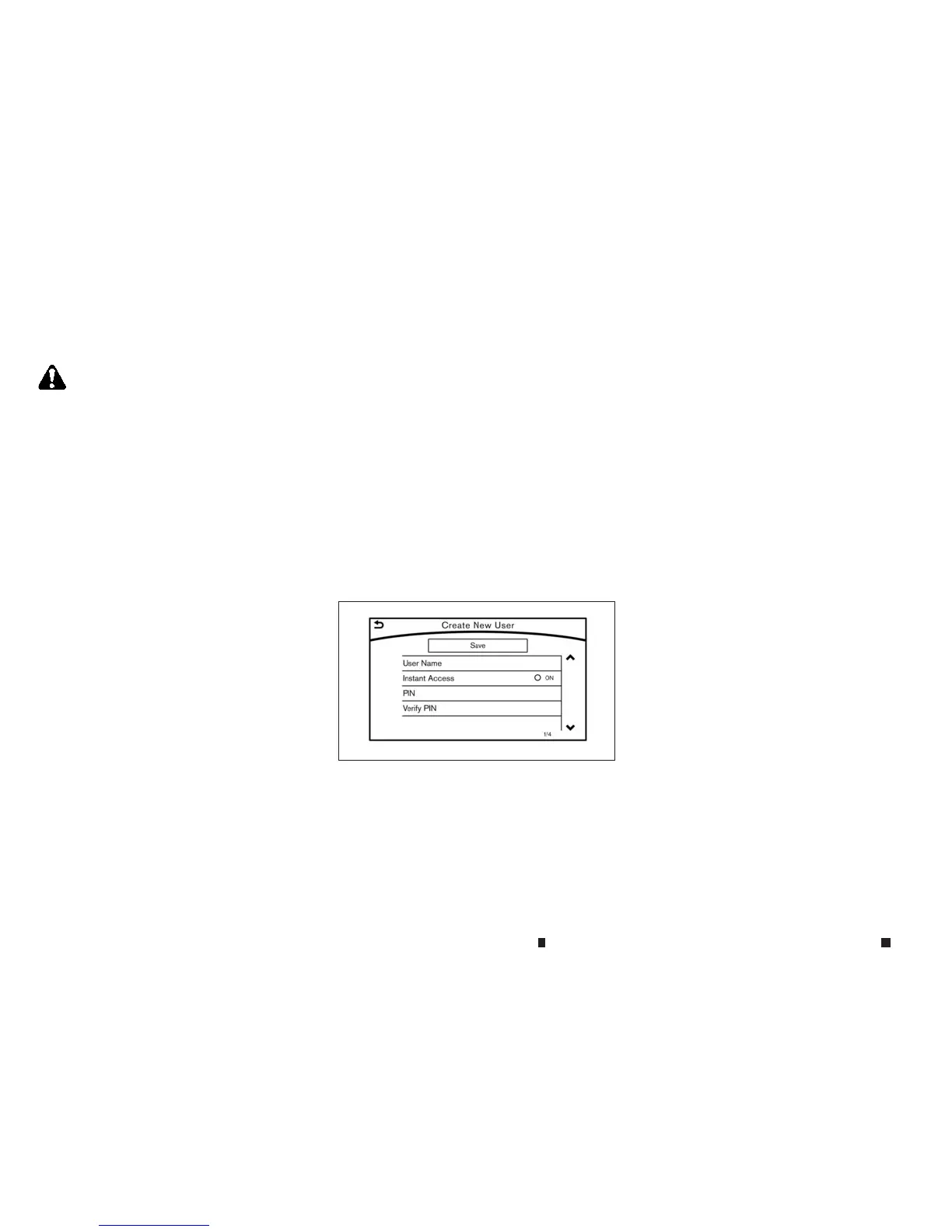
3. Touch[Create new user]. The new user input
screen will be displayed.
4. Input your name and PIN code and select In-
stant Access ON or OFF,and then touch
[Save].
NOTE
If the Instant Access mode is set to ON, it is not
necessary to enter aPIN code each time.
5. Display the Select User screen, and toucha
user name.
6. Input the PIN code and touch[OK]. The mail
box screen will be displayed.
If an accountisnot yet set up, touch[Create
New Account] to set an accountinthe Man-
ageAccount screen displayed.
NOTE
•
On the Receive Message screen, touchsender
name or addresstodisplay sender detail screen.
•
System folders (Inbox, Draft, Send, etc.) cannot be
modified.
MOBILE APPS
(where fitted)
Mobile Apps are alimited selection of popular
smartphone-based Appsthathavebeen cust-
omisedfor in-vehicle use. Mobile Appscan be
accessed by connecting your compatible smart-
phone to the vehicle.
Applications installedonyour smartphone can
be selected and rendered on the in-vehicle dis-
play.Onlycompatible applicationscan be used
with thissystem.
5GD0021XZ
4-92 Display screen, heater and air conditioner,and audio system


 To Next Page
 Loading...