Briefly showing detected traffic signs
in thevehicle information display
Activate the TSRwarning function using the ve-
hicleinformationdisplay,(see
“Traffic Sign Recog-
nition (TSR)” in the “2. Instrumentsand controls” sec-
tion
).
Atraffic sign indicating aspeed limit or the end
of aspeed limit appears in the vehicle informa-
tion displayfor around five seconds as soon as
it is detected. Any other information in the ve-
hicleinformation display is hidden for thispe-
riod.
Permanently showing detected traffic
signsinthe vehicle information
display
Displaythe assistancegraphic using the vehicle
informationdisplay (see
“Showing the distance
display” in the “2. Instruments and controls” section
).
Atraffic sign indicating aspeed limit or the end
of aspeed limit appears in the vehicle informa-
tiondisplay as soon as it is detected.
Thetraffic sign indicating aspeed limit
j
1is
generally displayed until:
•
Atraffic sign indicating the end of the speed limit
is detected.
•
Youmakeaturn.
•
Youhave travelledacertain minimum distance
without the traffic sign being repeated or detected
again.
NOTE
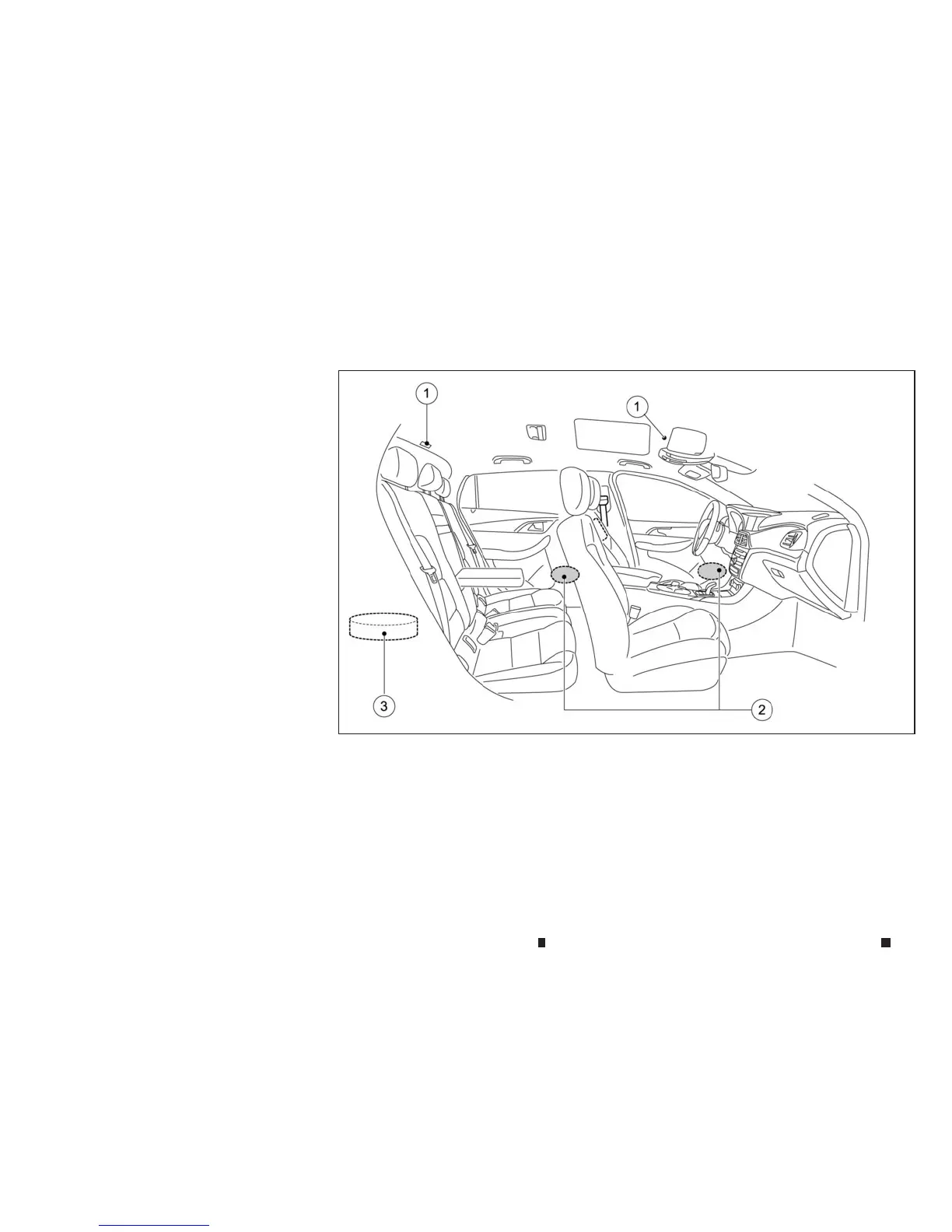
To operate the active noise cancellation (where fitted)
and active sound enhancement (where fitted) prop-
erly:
•
Do notcover the speakers or woofer.
•
Do not cover the microphones.
•
Do not changeormodifyspeakers including the
wooferand any audio related partssuchasthe am-
plifier.
•
Do not make any modification including sound
deadening or modificationsaround the micro-
phones,speakersorwoofer.
NSD647
ACTIVE NOISECANCELLATION (where fitted)/ACTIVE SOUND ENHANCEMENT (where fitted)
5-60 Starting and driving


 To Next Page
 Loading...