4
Around View
®
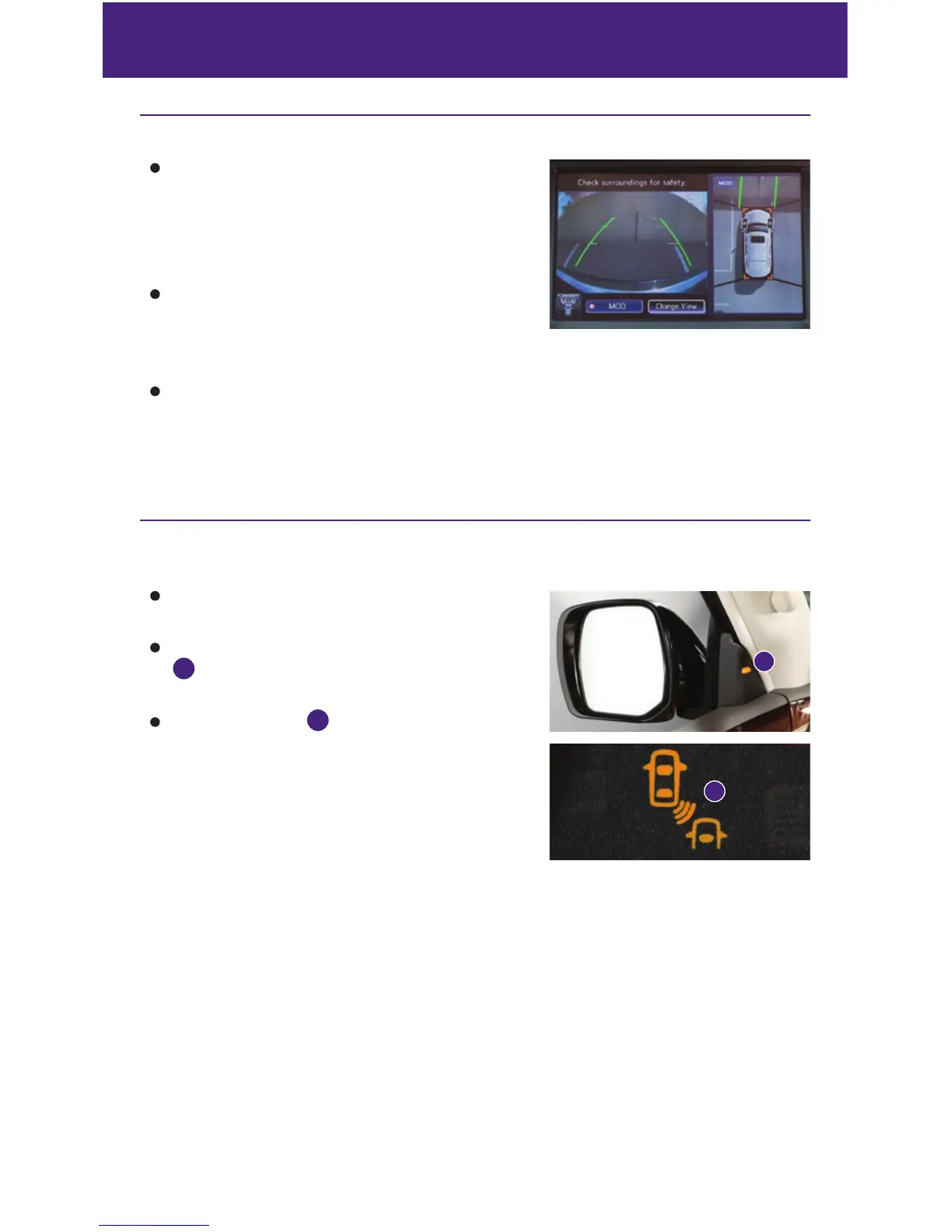
Monitor with Moving Object Detection (MOD)
Moving Object Detection (MOD) operates only with
the Around View
®
Monitor activated.
• To temporarily turn the system on or off, select
the “MOD” key on the bottom of the control
panel display.
When the CAMERA button is pressed and the vehicle
speed is less than 6 mph (10 km/h) or the shift lever
is moved to the R (REVERSE) position, the Information
Display Screen will automatically change to view the area surrounding the vehicle.
With the Around View
®
Monitor displayed, the corner sonar system can detect objects
near the vehicle and warn the driver by sounding a tone and showing an indicator in
the display screen.
For more information, refer to the “Monitor, climate, audio, phone and voice recognition systems (section 4)” of your
Owner’s Manual.
new system features
Blind Spot Warning (BSW) and Blind Spot Intervention
™
(BSI)
(if so equipped)
The BSW system alerts the driver when another
vehicle moves into the vehicle’s blind spot area.
An indicator light located near the outside mirrors
1
will illuminate if the radar sensors detect a
vehicle in the detection zone.
The indicator light
2
will first illuminate in orange
and then turn green before extinguishing. This
indicates that the Blind Spot Warning (BSW) and
Blind Spot Intervention™ (BSI) systems
are operational.
For more information, refer to the “Starting and driving (section 5)” of your
Owner’s Manual.
1
2



 To Next Page