US I-JK CA
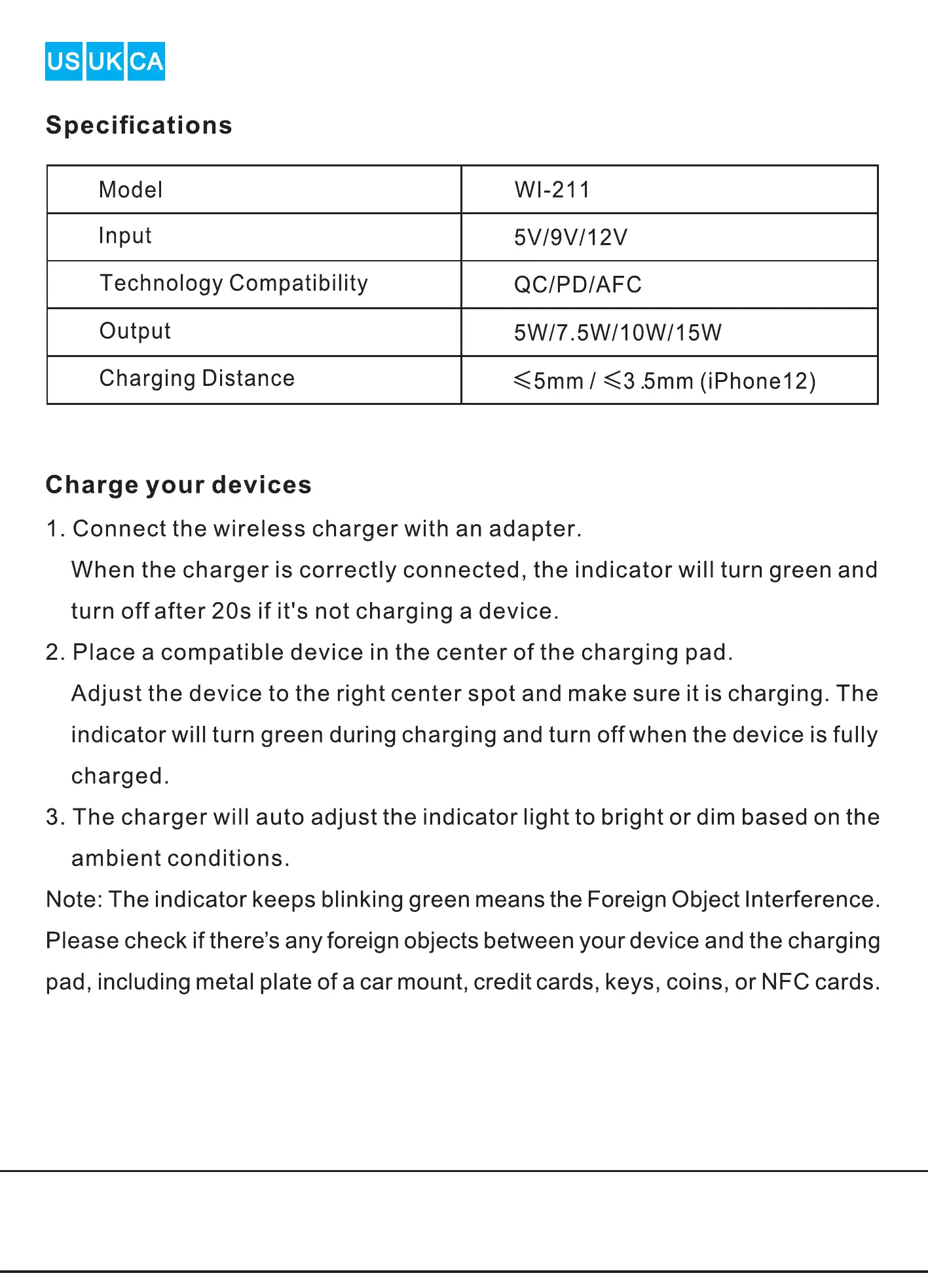
Specifications
Model
Input
Technology Compatibility
Output
Charging Distance
Charge your devices
wi-211
5V/9V/12V
QC/PD/AFC
5W/7.5W/1
<5mm / <3.5mm (iPhone 12)
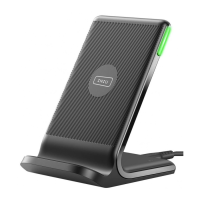
1. Connect the wireless charger with an adapter.
When the charger is correctly connected, the indicator will turn green and
turn off after 20s if it's not charging a device.
2. Place a compatible device in the center of the charging pad.
Adjust the device to the right center spot and make sure it is charging. The
indicator will turn green during charging and turn off when the device is fully
charged.
3. The charger will auto adjust the indicator light to bright or dim based on the
ambient conditions.
Note: The indicator keeps blinking green means the Foreign Object Interference.
Please check if there's any foreign objects between your device and the charging
pad, including metal plate of a car mount, credit cards, keys, coins, or NFC cards.


 To Next Page
 Loading...