Sorting
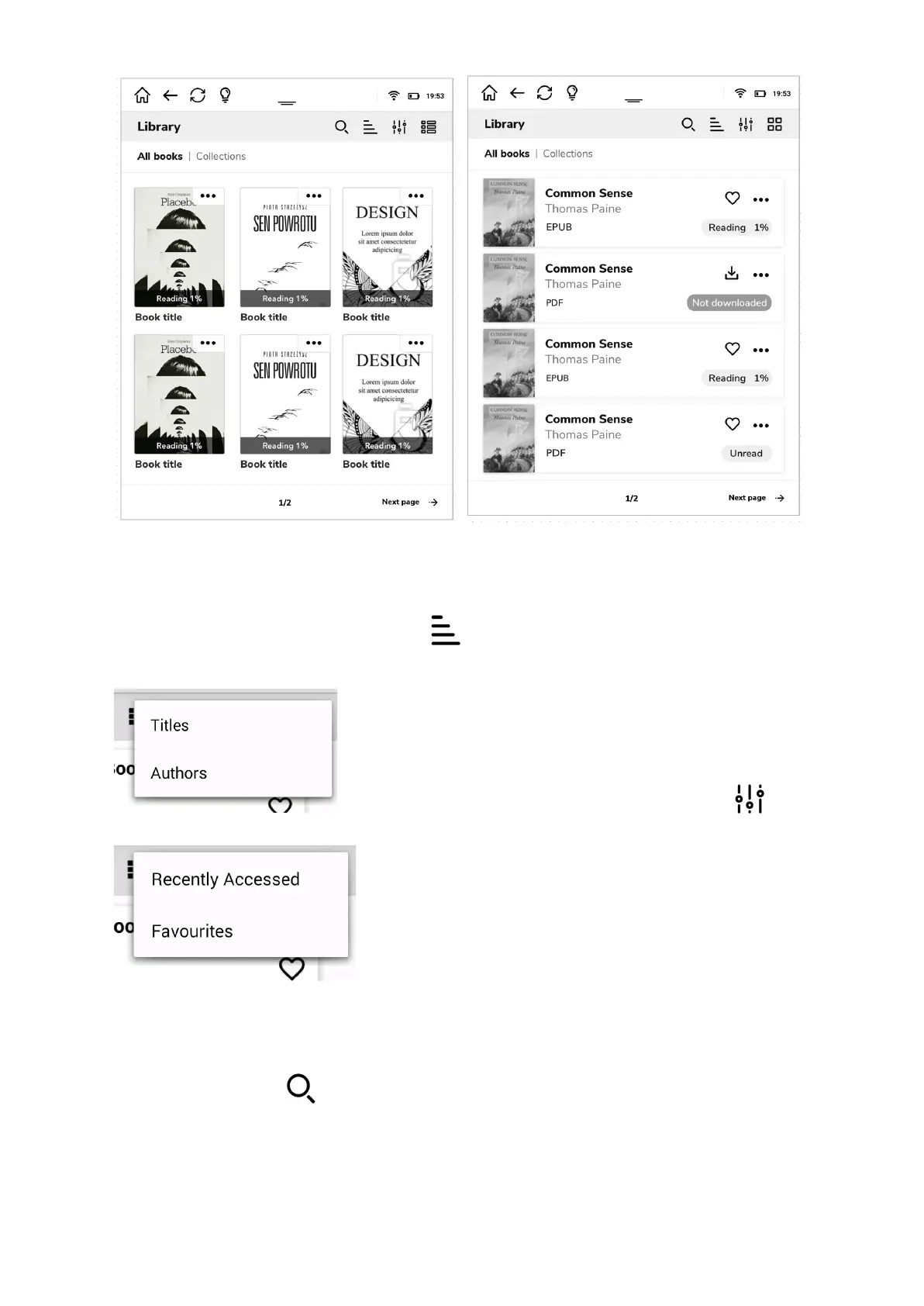
In order to sort your book collection press button and choose preferred sorting
parameters.
Filtering
While managing big collections, filters for more accurate
results may be useful. In order to apply filter press
button and choose filter option.
Finding
If the book you have just added is not there yet, you can search for it by clicking on the
magnifying glass icon .


 To Next Page