5. Now when your inkBOOK reboots you are ready to enter the world of milions
wonderful stories!
If you have difficulty connecting to your wireless network or need more information, see
Network Connectivity
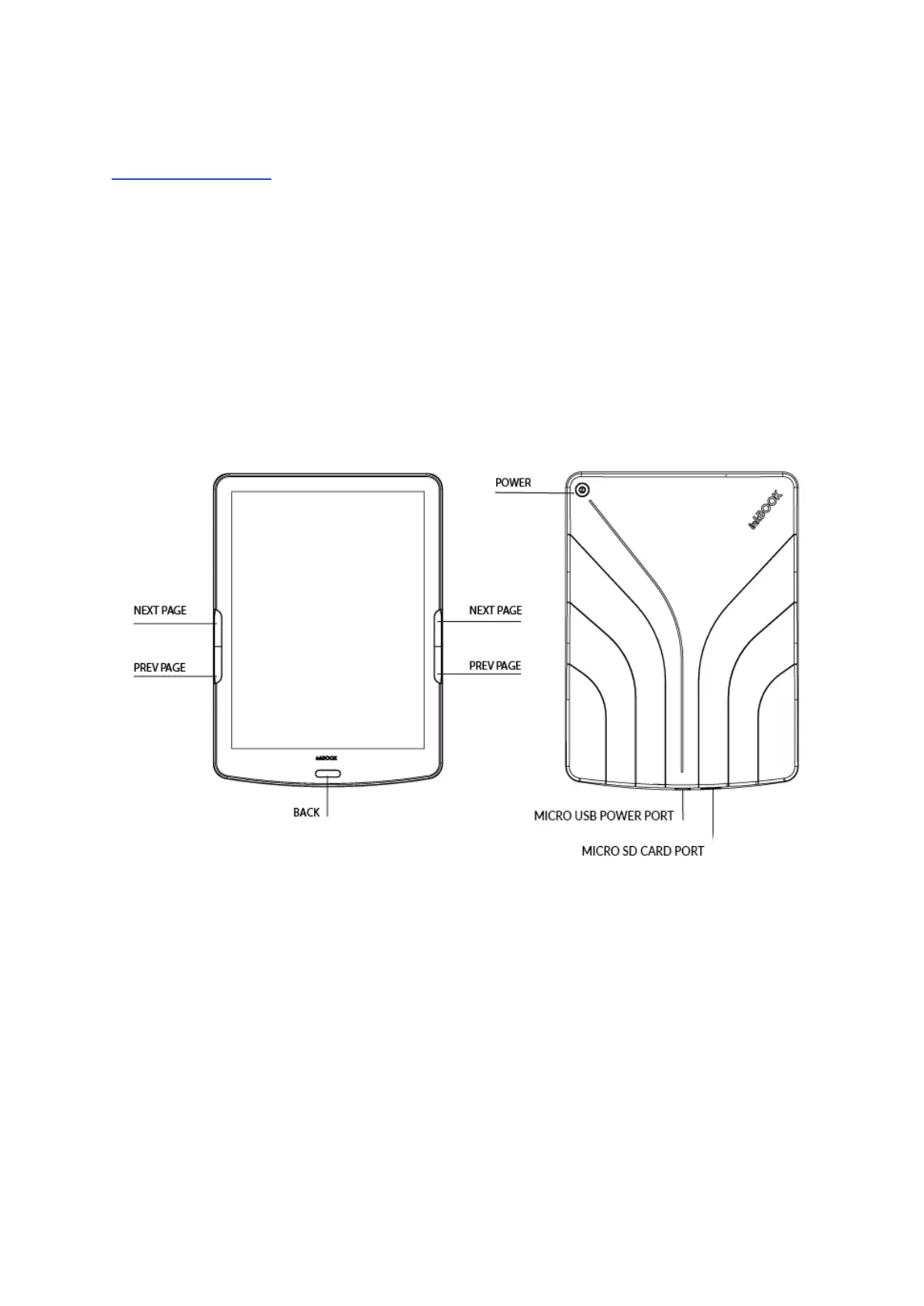
inkBOOK Controls
Here they are, just a few to remember:
Turning On: To turn on your inkBOOK press the Power button located on the back for 2
seconds.
Turning Off: To turn off your inkBOOK press and hold the Power button for 5 seconds until
the dialog box appears, and then choose “Power off”.
Changing pages: To change a page in a book, press Next Page or Previous Page buttons



 To Next Page