6 INSTALLATION MANUAL ON CISS FOR PRINTER EPSON C110/C120/D120/D130
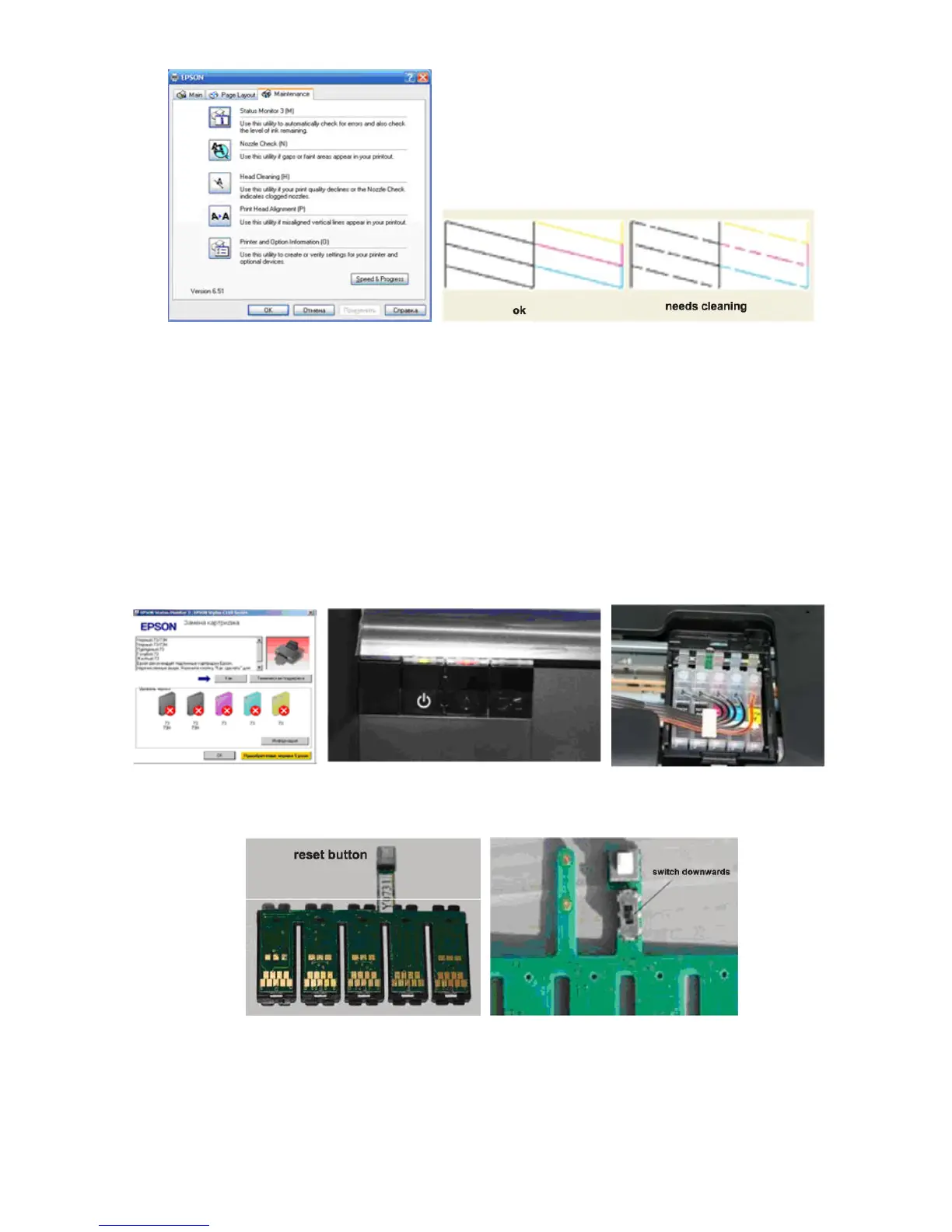
Pic.3-10-1 Pic. 3-10-2, 3-10-3
IV. Notice
It requires to change cartridges while printing (4-1-1) and ink light flash (4-1-2).
Press ink button to move out cartridge holder. Press chip reset button for 3 seconds (4-
1-3), repress ink button to move back cartridge holder, then ink amount shows 99%
again. Redo nozzle inspection and printer can run normally if it is alright.
Note: Distinguish two kinds of chips (4-1-4). The manipulation is the same. The
difference is that the chips with transferred switch should be switched downwards (4-
1-5), otherwise, chips can not be recognized.
Pic. 4-1-1 Pic. 4-1-2 Pic. 4-1-3
Pic. 4-1-4 Pic. 4-1-5
V. Removing used continuous ink supply system



 To Next Page