62
INNOCIGS EVIC PRIMO 2.0 – USING THE DEVICE
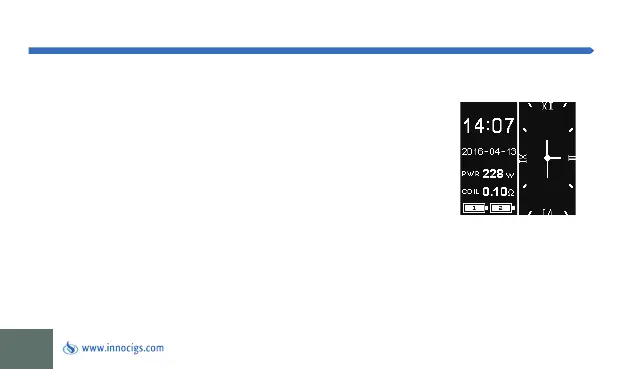
Change between digits and numeric Display
You have the choice of a clock dial and a numeric display of the time.
Press the Fire button 3 times to enter the corresponding settings menu. The ch-
ange to setting mode will be indicated to you by the flashing of the display. Now
press the “Up” or “Down” button to select between the display formats. When
the numeric clock is selected, press the Fire button 3 times and the “Down”
button 2 times to set the time and date. By pressing the “Up” button, you can
select / confirm the entry. Use the “Down” button to switch between minutes,
hours, month, year, and date.


 To Next Page