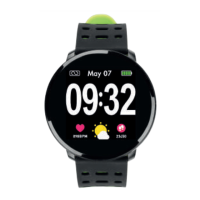
This document describes the Innova BRAZ/4B smartband, a wireless intelligent bracelet designed to monitor various health and activity metrics.
Function Description
The Innova BRAZ/4B smartband is a versatile wearable device that records and analyzes a user's activities, heart rate, blood pressure, blood oxygen, and sleep quality. It connects to a smartphone application (APP) called "Wearfit" to sync data and provide a comprehensive overview of the user's health and fitness.
Key functions of the smartband include:
- Time Mode: Displays the current time and battery level.
- Pedometer Mode (Sports Record): Automatically records the number of steps taken, tracking daily activity.
- Calories Mode: Shows the calories burned throughout the day.
- Heart Rate Monitor: Automatically measures the current heart rate. Users can also manually measure their heart rate via the APP. When the bracelet is in heart rate mode, it automatically starts measuring. If continuous measurement is not desired, users can switch modes. The display will show the most recent measurement data.
- Blood Oxygen Monitor: Automatically measures the current blood oxygen level. Manual measurement is also possible through the APP. Similar to heart rate monitoring, the device starts measuring automatically in blood oxygen mode, and users can switch modes if they don't want continuous measurement. The display shows the most recent data.
- Blood Pressure Monitor: Automatically measures the current blood pressure. Manual measurement can also be performed via the APP. The device starts measuring automatically when in blood pressure mode. Users can switch modes if continuous measurement is not desired. The display shows the most recent data. The measurement time is approximately 150 seconds. Factors like the distance between the bracelet and skin, or dirt on the device, can influence measurement data.
- Sleep Monitoring: Automatically recognizes the user's sleep status and monitors the full sleep progress, analyzing deep sleep and light sleep hours to provide insights into sleep quality.
- Call Reminder: When configured in the "Call reminder" function within the APP, the bracelet will vibrate when the phone rings.
- Message Reminder (Android only): When configured in the "Message reminder" function within the APP, the bracelet will vibrate when the phone receives text messages.
Important Technical Specifications
The Innova BRAZ/4B smartband features a color OLED display and is designed for ease of use and durability.
- Screen Size: 0.96 inches (color screen).
- Bluetooth: 4.0, ensuring stable connectivity with compatible smartphones.
- Battery: 80 mAh Polymer lithium battery.
- Bracelet Size: 50 x 24 x 11.6 mm.
- Water Resistance: Water splash resistant (NOT SUBMERSIBLE). This means it can withstand splashes but should not be immersed in water.
- System Requirements:
- Android 4.4 or above.
- iOS 8.0 or above.
- Bluetooth 4.0.
Usage Features
Preparation for Use:
Before initial use, the smartband must be fully charged. Use the provided charging clip to connect the device to a power source. Ensure the power supply is working normally. If the device's battery is low, connect it to the charger, and it will automatically boot up. The charging clip should be clamped to the back 3-point position of the bracelet.
Connection (Binding):
- Ensure your smartphone meets the system requirements (Android 4.4+ or iOS 8.0+ with Bluetooth 4.0).
- Download the "Wearfit" APP from the APP Store or Play Store.
- Ensure Bluetooth is enabled on your phone and the "Wearfit" APP is open.
- In the APP, click on the "link to bracelet" option, find the device name in the list, and click it to connect.
- Once connected, the device will sync the time and you can access the main interface.
Bracelet Operation:
- Turning On: Press and hold the button located at the bottom of the screen for 3 seconds.
- Turning Off: Press the power button for 3 seconds. A "turn off" logo will appear with "YES" or "NO" options. Briefly press the button to select "YES," then press and hold the same button again to turn off the device.
- Mode Switching: Click the button to cycle through the different modes in the following order: Time Mode -> Pedometer Mode -> Calories Mode -> Heart Rate Mode -> Blood Oxygen Mode -> Blood Pressure Mode -> Sleep Mode.
Troubleshooting (Q&A):
- Cannot find device when pairing via Bluetooth:
- Ensure Bluetooth is ON and your mobile phone meets the OS requirements (Android 4.4+ or iOS 8.0+).
- Ensure the distance between the phone and device is within the normal Bluetooth communication range (within 10 meters, ideally no more than 0.5 meters during initial pairing).
- Ensure the device is not under low power. If issues persist after a full charge, contact technical support.
- Cannot connect the device with APP:
- Some smartphone Bluetooth services may become abnormal after a reboot. Reboot your phone's Bluetooth or the smartphone itself for pairing.
- APP shows no display data:
- Data transfer depends on timing and manual measurement. Ensure the battery is charged and Bluetooth is ON.
- Wrong time:
- If the bracelet is under low power, the time may be incorrect. Charge the bracelet and reconnect it to the phone.
Maintenance Features
- Charging: Regularly charge the device to ensure optimal performance. A full charge is recommended before initial use.
- Water Resistance: The device is water splash resistant, meaning it can handle light exposure to water like rain or hand washing. However, it is NOT SUBMERSIBLE and should not be used for swimming, showering, or any activity involving immersion in water.
- Temperature Exposure: Do not expose the smartband to extreme temperatures, as this could lead to battery damage or explosion.
- Cleaning: While not explicitly detailed, general electronic device cleaning practices apply. Keep the device clean and free from dirt, especially around sensors, as dirt can influence measurement data.
INNOVA CELLULAR declares that the BRAZALETE WIRELESS INTELIGENTE CON MEDIDOR DE RITMO CARDIACO, OXIGENO EN SANGRE Y TENSION ARTERIAL (BRAZ/4B) complies with the essential requirements and other applicable provisions of Directives 2014/53/EU (RED) and RoHS 2011/65/EU. The full declaration of conformity can be accessed via the link provided in the manual: http://www.innovacelular.com/images/web/descargas/descargas/declaracion/declaracion_braz4b.pdf.
Guarantee
The manual includes a guarantee certificate section for the device, requiring the model, serial number, establishment, and purchase date.
Customer Service
Customer service is available in English and Spanish.
- Contact Number: +34 902 090 079
- Working Hours:
- Monday to Thursday: 08:00 to 14:00 and 15:30 to 17:30
- Friday: 09:00 to 14:00
- Email: sac@innovacelular.com

 Need help?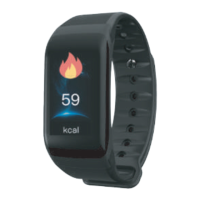

 To Next Page
 General