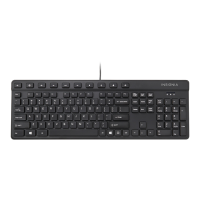
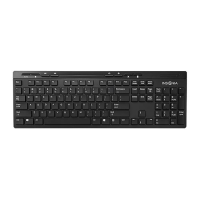
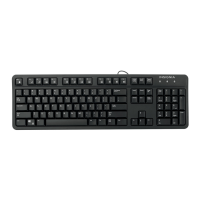
QUICK SETUP GUIDE
104-Key
Full-Size Keyboard
NS-PK3KCB24 / NS-PK3KCB24-C
Before using your new product, please read these instructions to prevent any damage.
FLAT SIZE (W×H): 16 × 5.25 in. (406.4 × 133.35 mm.)
FINAL FOLDED SIZE: 4 × 5.25 in. (101.6 × 133.35 mm.)
Shortcut keys
Front
ON
DESCRIPTION
Decrease brightness
Previous media track
Play/pause media
Next media track
Mute all media
Decrease volume
Increase volume
Increase brightness
Launch the music app
Stop media
ICON
KEY
FN+F1
FN+F2
FN+F3
FN+F4
FN+F5
FN+F6
FN+F7
FN+F8
FN+F9
FN+F10
FN+F11
FN+F12
Search les and apps
Calculator
CONNECTING YOUR KEYBOARD
Top
1 Slide the power switch on.
2 Press and hold. The keyboard enters pairing mode.
3 On your Bluetooth device, turn on Bluetooth and select Insignia BT
3.0 KB or Insignia BT 5.0 KB from the Bluetooth pairing list.
When connected, a “Pairing success” prompt is shown.
Note: If both are available, select Insignia BT 5.0 KB for a faster connection.
1
Battery compartment
Low battery
and scroll lock
indicator
Power switchBluetooth button
FEATURES
• Compatible with Windows 11 and 10, macOS 11.4 – 10.12, ChromeOS 89,
iPadOS 14.4.2 and Android 6
• 104-key layout with integrated number pad provides a comfortable typing
experience
• Bluetooth connectivity eliminates unnecessary cables
• Scissor switch design is comfortable and quiet to use
• Multimedia hot keys support enhanced Windows functionality
INSTALLING THE BATTERIES
Back
1 Remove the battery cover.
2 Insert two AAA batteries (included). Make sure that the batteries + and –
symbols match the symbols inside the compartment.
3 Replace the battery cover.
PACKAGE CONTENTS
• Bluetooth keyboard
• AAA batteries (2)
• Quick Setup Guide
SYSTEM REQUIREMENTS
• Windows 11 and Windows 10, macOS® 11.4 – 10.12, ChromeOS™ 89,
iPadOS 14.4.2 and Android 6
• Bluetooth capable device
NS-PK3KCB24_C_23-0412_QSG_V1_EN.ai 1 8/14/2023 7:59:47 PMNS-PK3KCB24_C_23-0412_QSG_V1_EN.ai 1 8/14/2023 7:59:47 PM

 Need help?

 To Next Page
 General