ENGLISH
7
• ADD TIME
If you aren't satised with the browning level and would like to add extra time, you can
toggle the ADD TIME setting on to add an additional 15 seconds to your cook time. You can
also turn ADD TIME on or o by touching the icon at any time during the toasting cycle.
• COUNTDOWN DISPLAY
The Countdown Display will show how much time toasting will take,
and will begin to count down once the toasting cycle begins.
• CANCEL
Press CANCEL to stop toasting and reset the cooking timer. Canceling the toasting cycle
will set the toaster back to the default setting (white bread at lowest browning level).
• BREAD TYPE
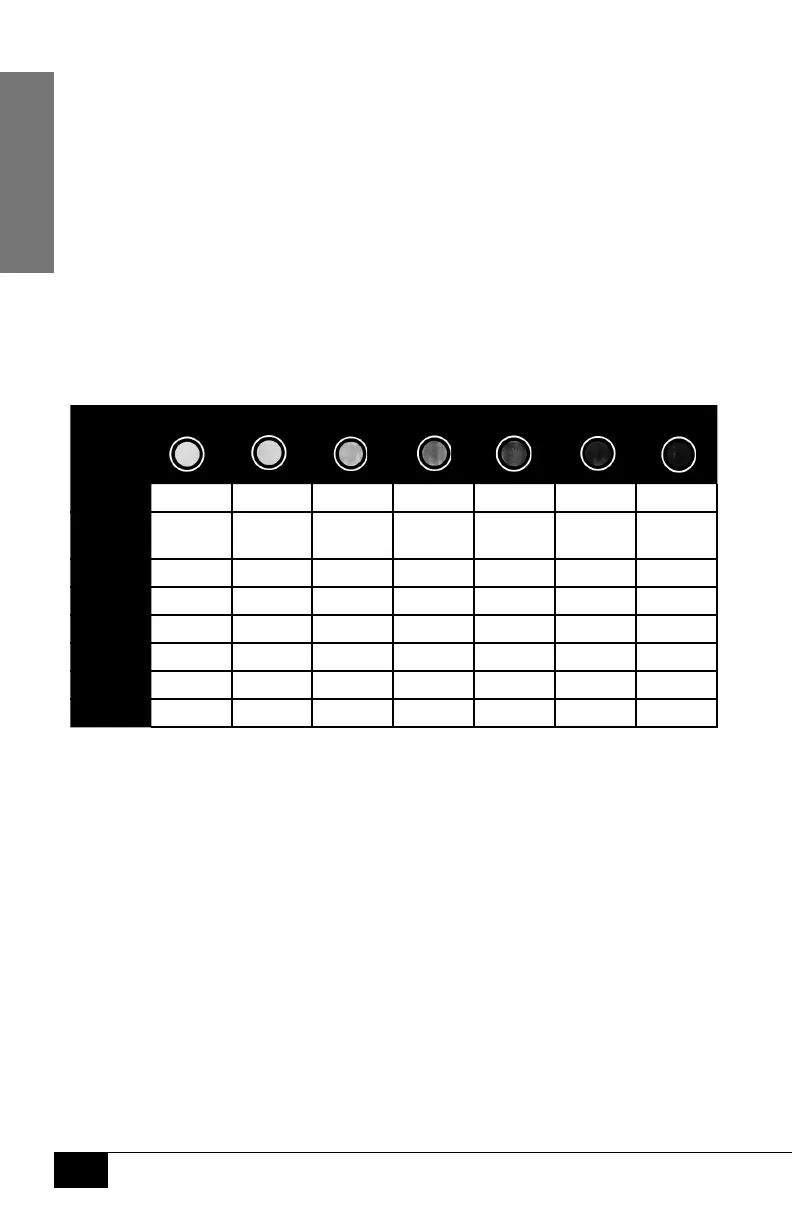
There are 8 bread types to choose from. Select the bread type you will
be toasting by touching the icon showing your bread type. See the
COOKING TIME CHART for the amount of time for each bread type.
COOKING TIME CHART*
BROWNING LEVEL
BREAD
TYPE
White 1:00 1:25 1:50 2:15 2:40 3:00 3:20
Gluten
Free
1:06 1:33 2:01 2:28 2:56 3:18 3:40
Wheat 1:09 1:37 2:06 2:35 3:04 3:27 3:50
Raisin 0:51 1:12 1:33 1:54 2:16 2:33 2:50
Bagel 1:19 1:52 2:25 2:58 3:31 3:57 4:24
Wae 0:54 1:16 1:39 2:01 2:24 2:42 3:00
Pastry 1:12 1:42 2:12 2:42 3:12 3:36 4:00
Mun** 1:30 1:55 2:20 2:45 3:10 3:30 3:50
*NOTE: Toasting time will adjust between consecutive uses
to maintain consistent browning levels.
**Mun refers to English or British style muns.



 To Next Page