8
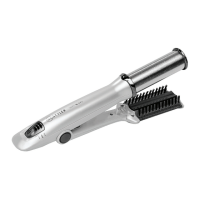
InStyler
®
Wet 2 Dry Rotating Iron
SafetyFirst-Using your Thermal Guard
NOTE: It is recommended that you use your InStyler with the included
Thermal Guard Training Aid, to help prevent burns while you are getting
used to this unique new hot styling tool.
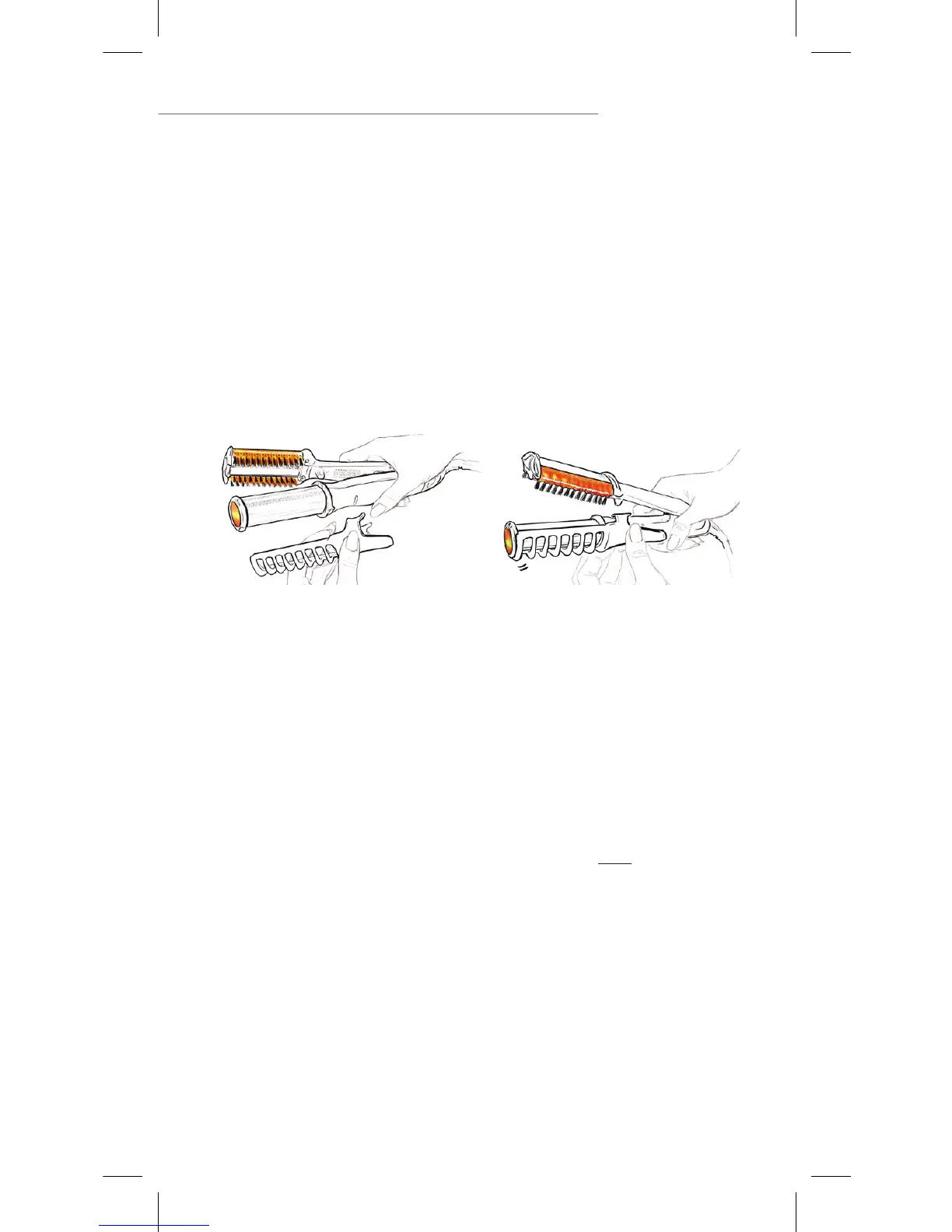
AttachingYourThermalGuardTrainingAid
1. BeforeattachingtheThermalGuardmakesurethebarreloftheunitiscoolto
touch.
2. Toattach,snaptheThermalGuardTrainingAidontothesideoftheunit
directly under the ring below the barrel.
3. RotatetheThermalGuardTrainingAiduntiltabsareseatedintheindentations
onthebodyoftheInStyler,andtheThermalGuardTrainingAidisfacingout.
4. Onceitissnappedinplace,youcanuseyourInStylerasyounormally
would.
RemovingYourThermalGuardTrainingAid
5. BeforeremovingThermalGuardmakesurethebarreloftheunitiscoolto
touch.
6. ToremovetheThermalGuardTrainingAid,rmlygrabtheThermalGuard
Training Aid, making sure the barrel of the unit is cool, twist to unseat it and
pull to remove.
NOTE: It is important to keep your InStyler clean, as hair product build-up can
accumulate on the barrel and bristles. With the unit unplugged, wipe the outside
surface only with a lightly damp cloth. Bristles can be lightly scrubbed if neces-
sary. Make sure the InStyler is completely dry before plugging into any power
source. Please see page 19 of this manual for more detailed instructions on
cleaning.
*Always allow the InStyler Wet 2 Dry to cool before storing.


 To Next Page