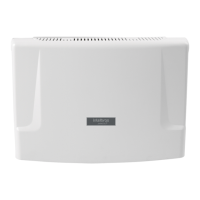
Installation guide
Impacta 68i recording card
Congratulations, you have just purchased a quality product and
security Intelbras.
The Impacta 68i recording card is an accessory card that can be
used only in the Impacta 68i telephone exchange, allowing the
recording of up to 8
1
audio channels. Audio les are temporarily
stored on an SD
2
card, connected to the board itself.
The Impacta 68i recording card is not supplied with the control
unit.
For more information on the conguration of the Impacta 68i re-
cording card, conguration/reading of recordings
3
and approved
SD cards, consult the ICR - Intelbras Call Recorder user manual
on the website
www.intelbras.com.br.
1
For recordings above 4 audio channels, it is necessary to
purchase the usage license.
2
Item not included and required for recording.
3
The ICR software – Intelbras Call Recorder is required (license
for use required) and USB cable.
1. Care and safety
Attention!
Only authorized technical personnel can
open the PBX cover, as well as connect and
handle its interfaces.
Carefully read all equipment information and follow all safety
information.
» Always consult a superior or immediate supervisor before
starting work, informing the necessary procedures to
perform the requested service and the necessary safety
precautions.
» Turn off system power during interface assembly or
removal services.
» Connect the grounding conductor to the system involved
before starting. Never operate the equipment with the
grounding conductor disconnected!
To avoid electrostatic damage to the Impacta 68i recording card,
observe the following precautions:
Attention!
Static electricity can damage the board’s
electronic components. This type of damage
can be irreversible or reduce the life expec-
tancy of the device.
» Use an antistatic wrist strap, or similar, to handle the
card.
» Transport and storage must only be carried out in static-
proof packaging.
» Place the card on a grounded surface when you take it
out of the packaging.
» Avoid touching the pins of integrated circuits or
electrical conductors.
» Always be properly grounded when touching the board
or any component.
2. Technical specications
Connection SD card (32×24 mm)
Dimensional
Length: 72 mm
Width: 12 mm
Height: 58 mm
Weight 23 g
Recommended
temperature
0 ºC to 45 ºC
3. Producto
SD card
slot
LED Status
LED Read
LED SD card
4. Installation
This board can only be connected to the Impacta 68i control
panel, version 3.22.00 or higher.
To connect the Impacta 68i recording card follow the procedure:
1. Turn off the AC power of the Impacta 68i control unit
and remove the cover;
2. The Impacta 68i recording card must be installed in
the optional slots: OPC1 or OPC2;
3. Insert an approved SD card (item 6. Approved SD card)
into the recording board as shown in the following
image;
4. Replace the cover and turn on the AC power of the
Impacta 68i control unit;


 To Next Page
 Need help?
 General