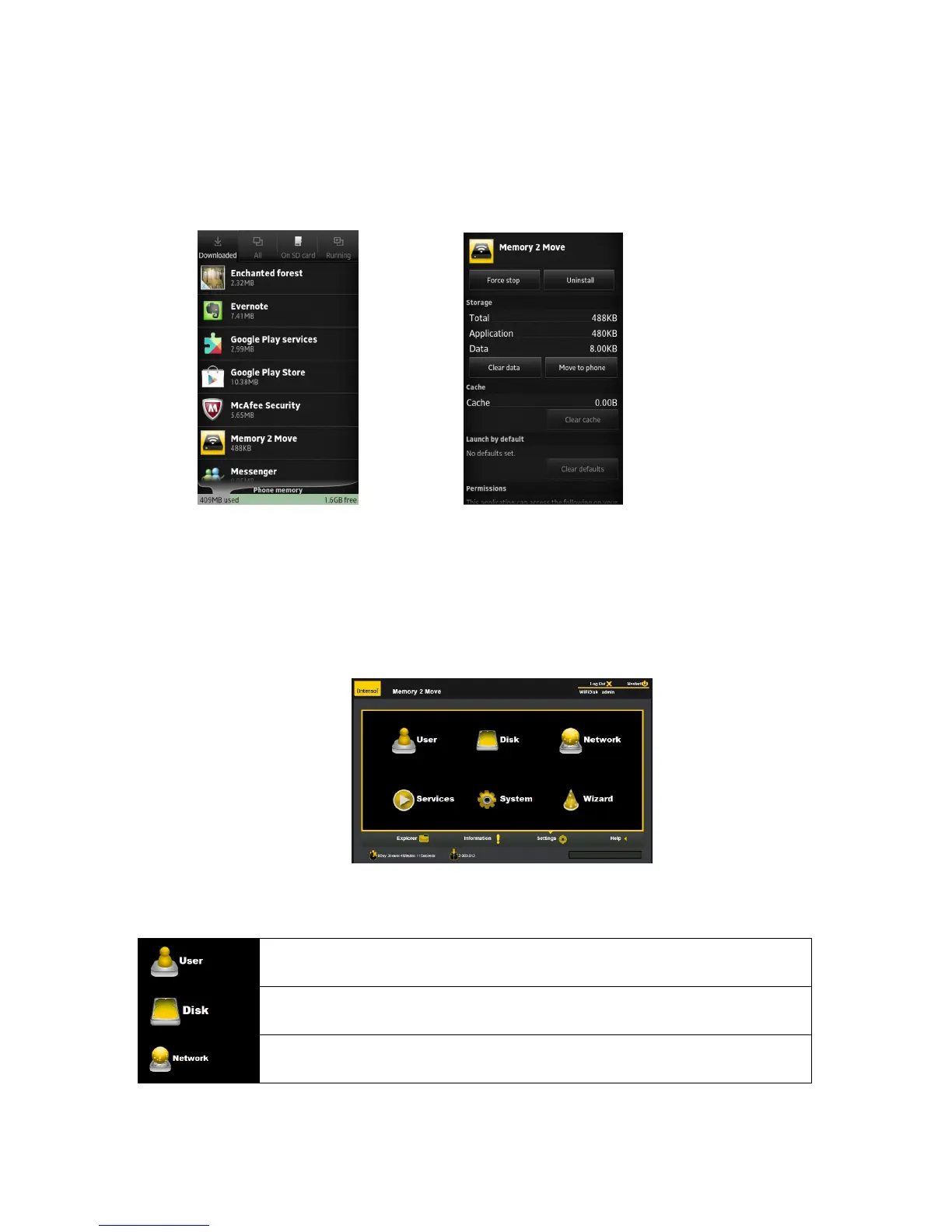
3. Locate and select the “Memory 2 Move” app.
4. Click on the “Uninstall” button.
5. A warning appears: “Memory 2 Move. This application will be uninstalled.” Click the “OK” button to
continue uninstalling the app or click on the “Cancel” button.
12. WEB Management Functions
Our built-in Web Management software is a unique web-based utility stored inside our “Memory 2
Move” product. No software is needed to install on your Personal Computer to use this utility.
Simply launch our “WiFi Finder” or open your web browser and enter the 10.10.10.254 IP address.
Available sub menus:
Allows the user to change the admin password.
Provides information of the internal hard disk drive.
Networking Settings allow the user to make modifications and changes to Host Name,
Wi-Fi and LAN, DHCP Server and Internet



 To Next Page