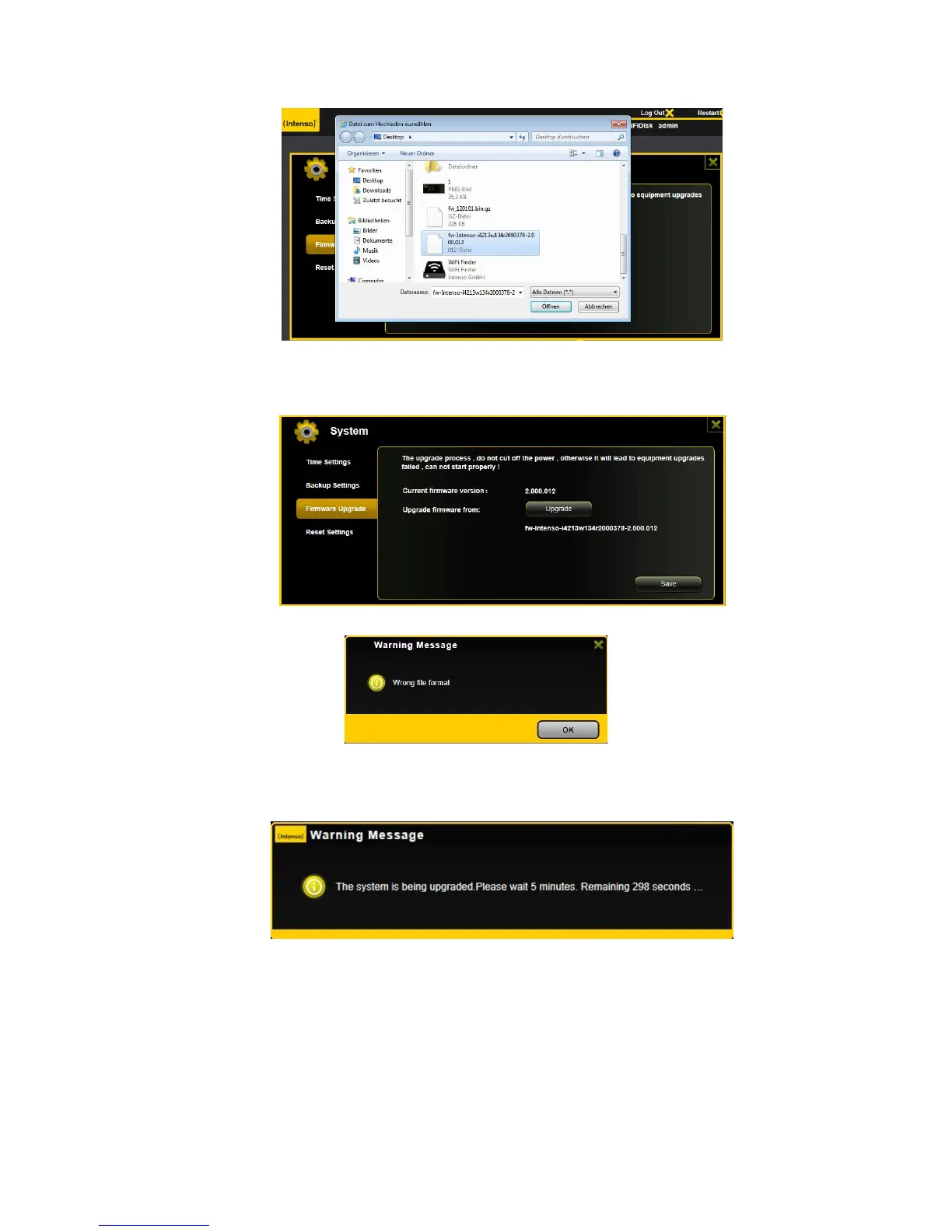
3. The latest firmware update file will appear at the bottom of the folder. Click on the “Save” button
to continue updating the firmware.
Note:If you select wrong file format to upgrade, there is a warning message appeared.
4. Once the firmware has been installed, the warning message as seen on the screenshot below
will appear and the device will automatically reboot and will go back into the login screen.



 To Next Page