To function as an external HDD: in power off mode, simply connect “Memory 2 Move” into the
computer’s available USB port. “Memory 2 Move” will automatically mount on your desktop (MAC)
or inside the “My Computer” (Windows).
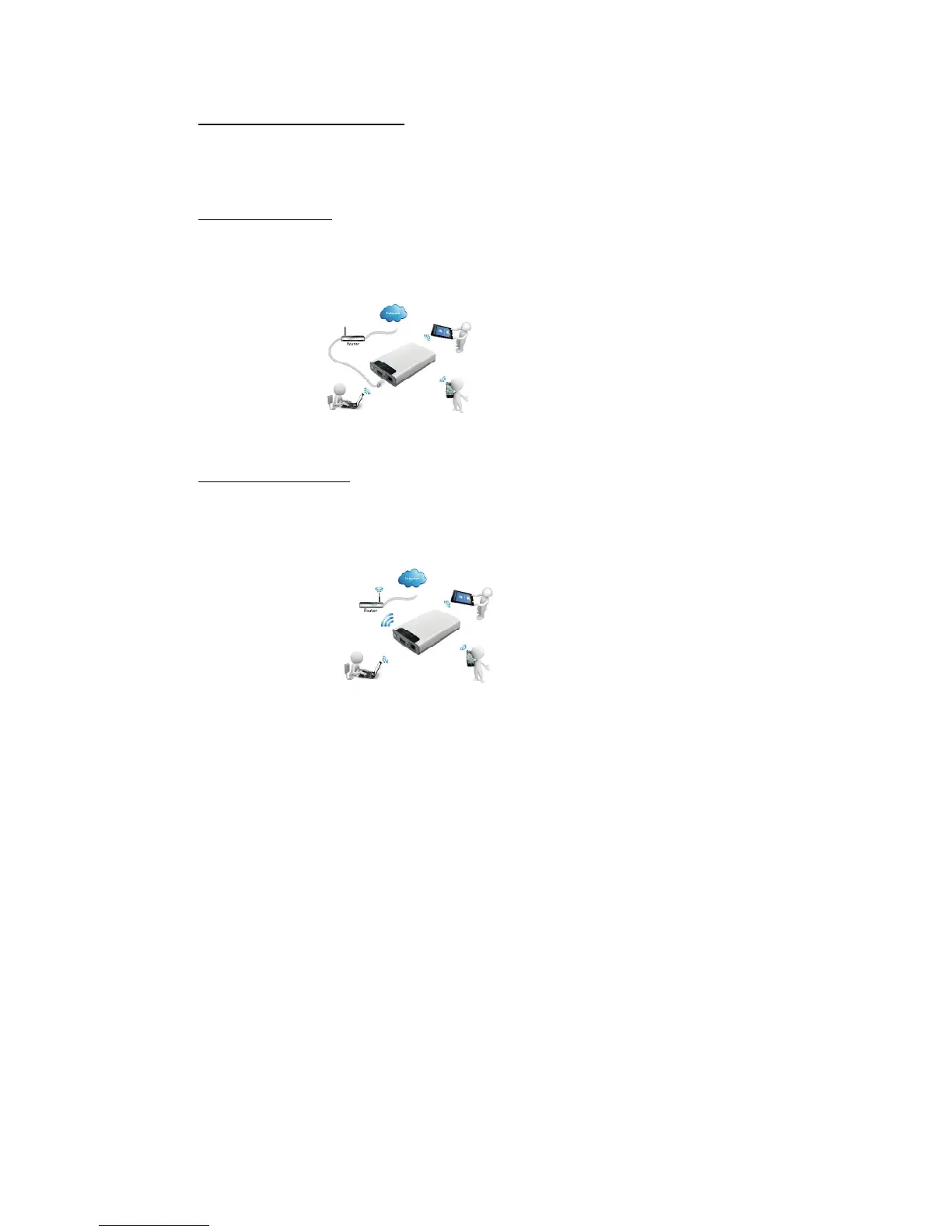
Wired Internet mode: connecting the RJ45 cable into the available port on the back of your router,
then enable the DHCP feature of “Memory 2 Move” to automatically assign an IP address.
Connecting your tablet/smartphone/computer to “Memory 2 Move” through Wi-Fi, then on
tablet/smartphone/computer you can access the storage of “Memory 2 Move” and internet.
Wireless internet mode: wirelessly connecting “Memory 2 Move” to your existing wireless router to
have internet access as illustrated below. Connecting your tablet/smartphone/computer to “Memory
2 Move” through Wi-Fi, then on tablet/smartphone/computer you can access the storage of
“Memory 2 Move” and internet.
3. Content of Package
Memory 2 Move USB 3.0 cable
CD
Manual
Power Supply (KTEC – KSAS0060500100VEU – 5V / 1A)
4. Product Specification
Dimensions: 127.3mm (L) X 80mm (B) X 25mm (H)
Wi-Fi:
Standard: 802.11 b/g/n,
Frequency: 2.4 GHZ
Speed: 72Mbps at 20MHz



 To Next Page