D-0133833-A – 2022/09
AD629 - Instructions for Use - EN Page 24
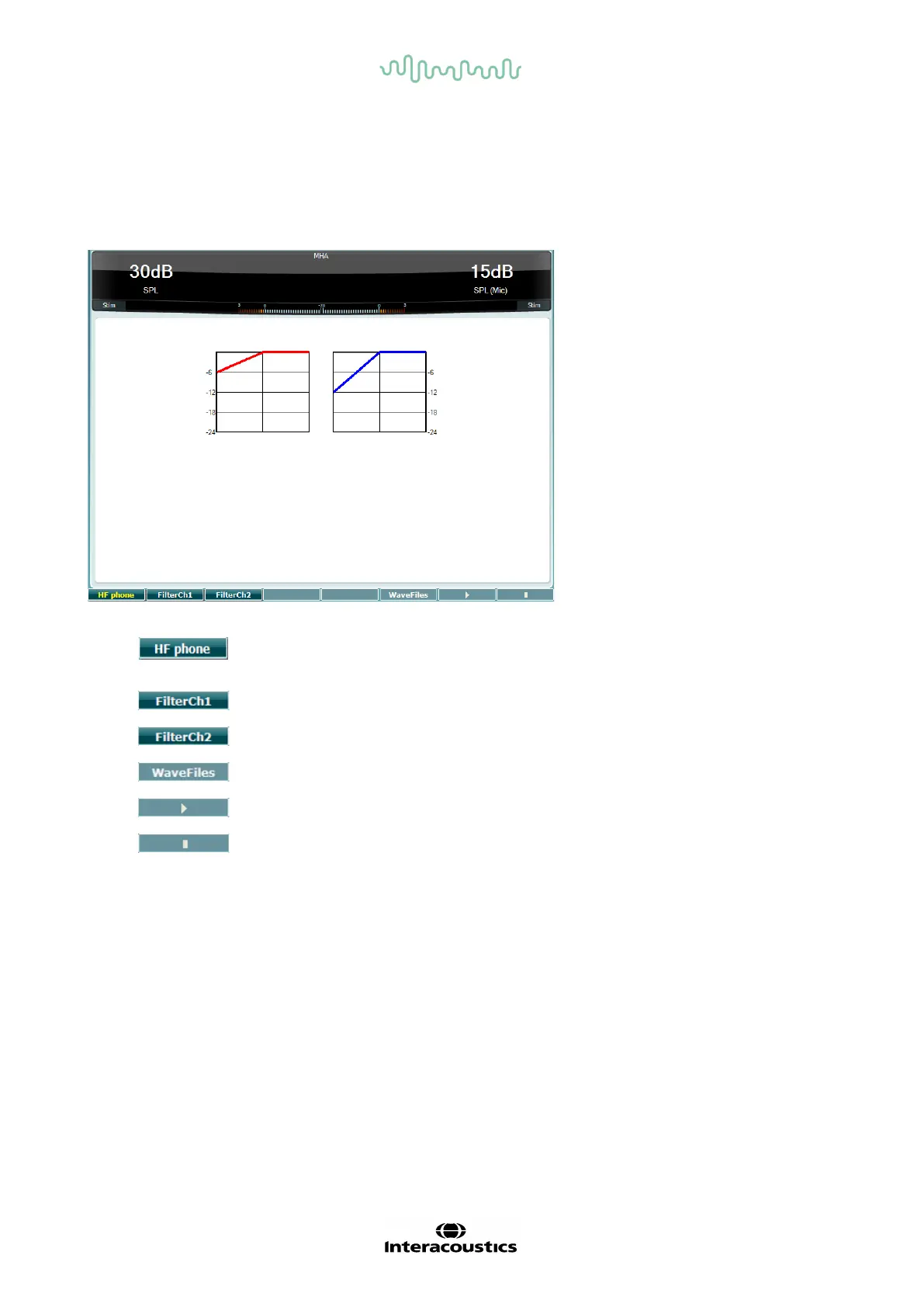
Master hearing aid test
MHA is a hearing aid simulator that consists of three high pass filters of -6 dB, -12 dB, -18 dB per octave
and a HFE filter (High Frequency Emphasis) equivalent to -24 dB per octave through the audiometric
headphones. This gives a sense of the benefits of a hearing aid and what could eventually be gained by
getting properly fitted hearing aids. The filters can be activated individually on both channels enabling the
audiometer to serve as a 2 channel master hearing aid.
Only available if High Frequency is available (optional license) on the AD629.
Selects the HF phone connected to the separate HF connectors.
If MHA/HIS wave file is installed, they can be selected here.
MHA/HIS wave files can be installed the following way:
1. Zip the selected wave files into a file named “update_mha.mywavefiles.bin” (make sure the file
extension is bin and not zip)
2. Copy the files to a newly FAT32 formatted USB memory stick
3. Insert the stick into one of the USB connections on the AD629
4. Go to Common Setup and press “Install”
5. Wait for the installation to complete
6. Restart the AD629



 To Next Page