Item No. 8105088 – 12/2013 Page 6 of 7
Verification using the REAR protocol
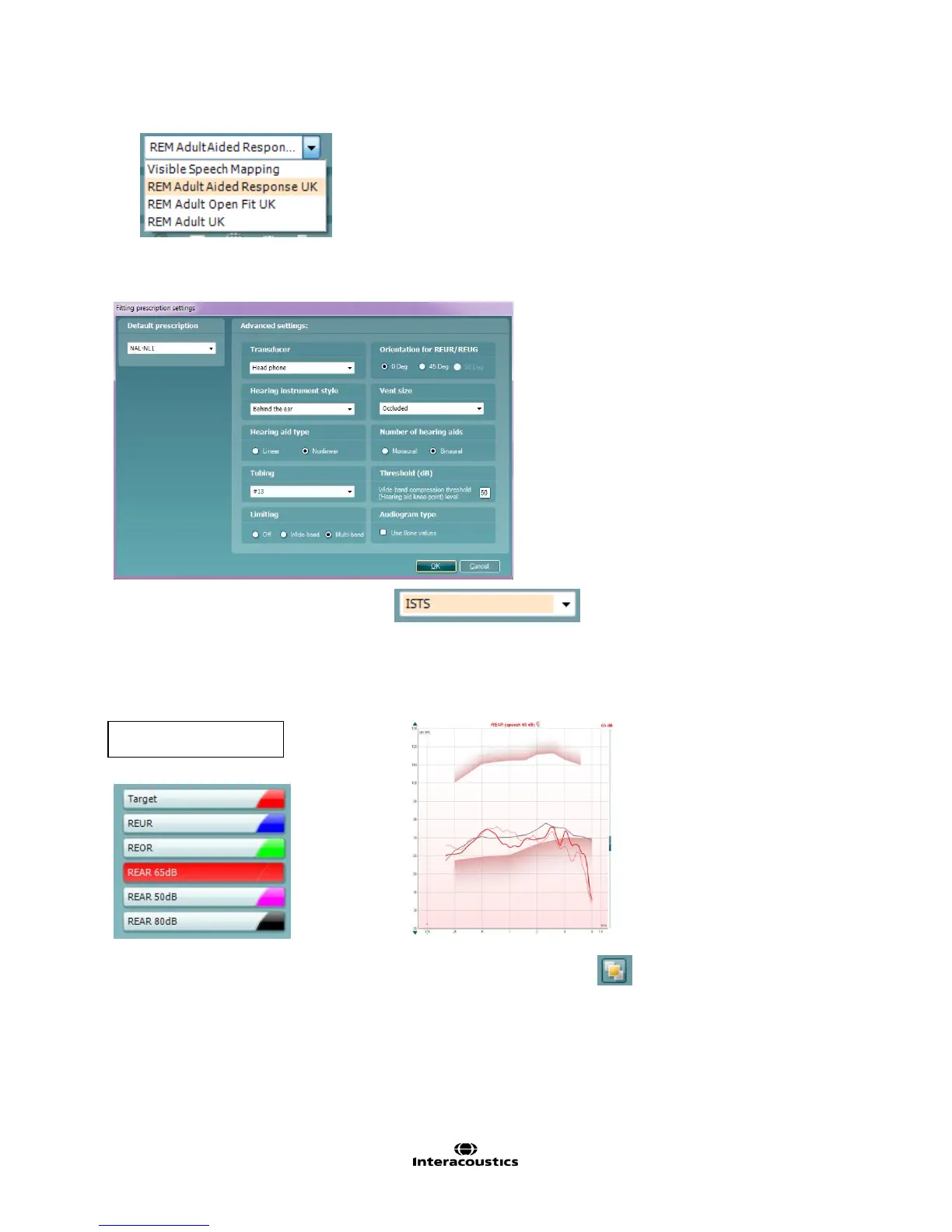
1. Choose the REM Adult Aided Response UK protocol:
2. Choose the appropriate options with in the Fitting Prescription Settings window, which will appear
automatically when a REM protocol is chosen:
3. Select the verification signal.
4. Measure the aided response for soft, average and loud
(NOTE: with REAR measurements, it is not necessary to measure the REUG/REUR. However, some
clinicians like to use the REUG/REUR as an indication for adequate probe placement.).
5. Fine tune the hearing aid if necessary. Use the On Top mode button to minimize the REM screen
and to bring it “on top” of the hearing aid manufacturer software.



 To Next Page