Item No. 8105093 – 12/2013 Page 1 of 4
Quick Guide – HIT440
Introduction
The purpose of this Quick Guide is to provide guidelines on how to conduct basic technical measurements of
hearing instruments using the HIT440 module for the Interacoustics Affinity
2
hearing aid analyzer.
NOTE: Hearing instruments needs to be in FULL ON GAIN MODE/TEST MODE in order to compare the
results to the hearing aid manufacturers’ technical data sheets. Each hearing aid manufacturer has a different
way of accessing this Test Mode. Please check with the hearing aid manufacturers for instructions on how to
program the hearing aid into TEST MODE.
1. Launch the Affinity
2
Suite from your patient management system, Noah or OtoAccess™.
2. Click on the HIT tab to launch the HIT440 module.
3. If comparing to manufacturers’ technical specification, ensure that the hearing aid is in FULL ON GAIN
MODE.
Setup
BTE hearing instrument
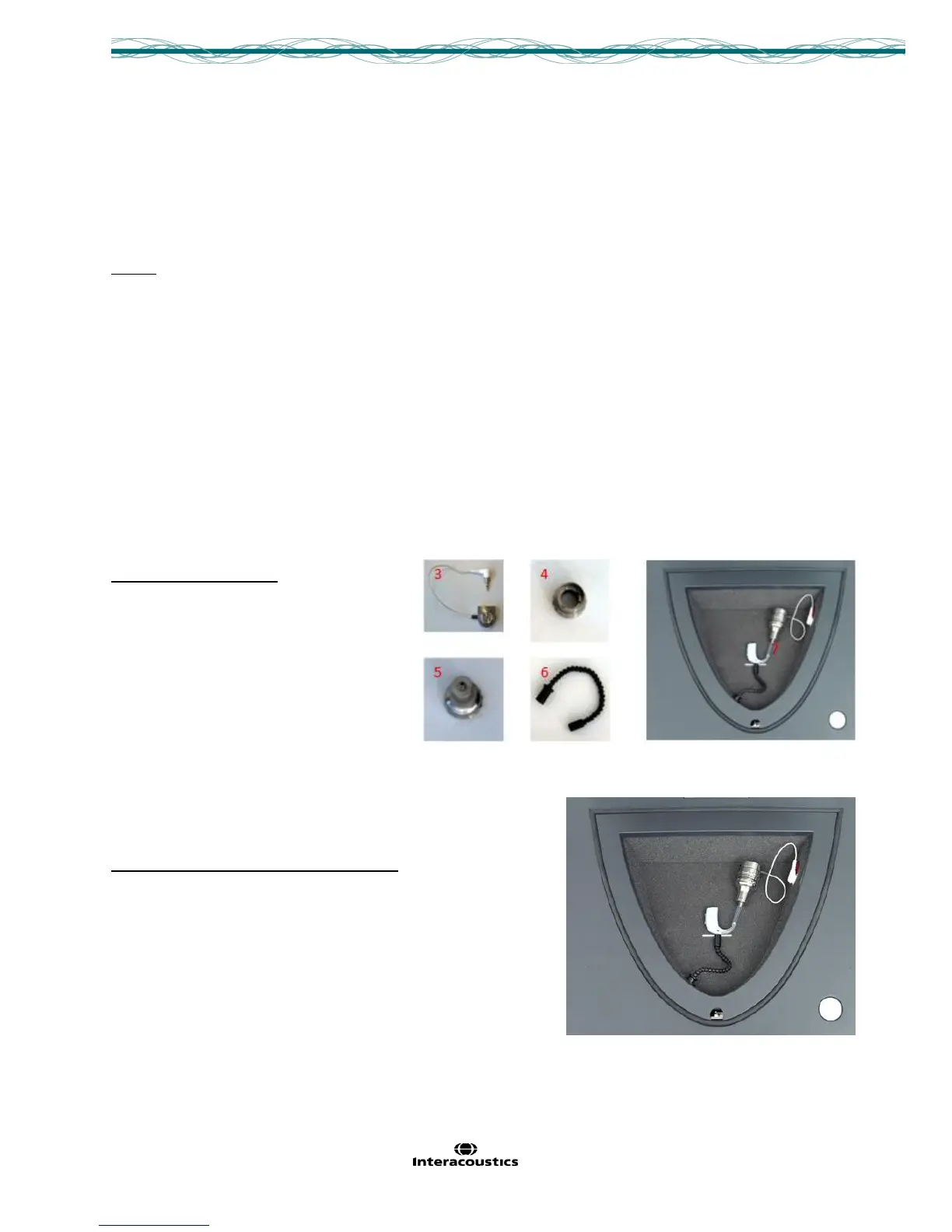
Required Items:
1. The Affinity
2
hardware.
2. The Affinity
2
Suite with the HIT440
module.
3. A coupler microphone.
4. A coupler (most common is 2cc coupler).
5. The BTE Adaptor for the coupler.
6. The reference microphone
(included in Affinity
2
test box).
7. Earmold Tubing to connect the
hearing instrument to the BTE adaptor/coupler.
Positioning the BTE in the test chamber:
Place the coupler tube pointing straight forward and the microphone
at the cross. (Multiple microphones: Place the half-way point
between the microphones at the cross).



 To Next Page