53
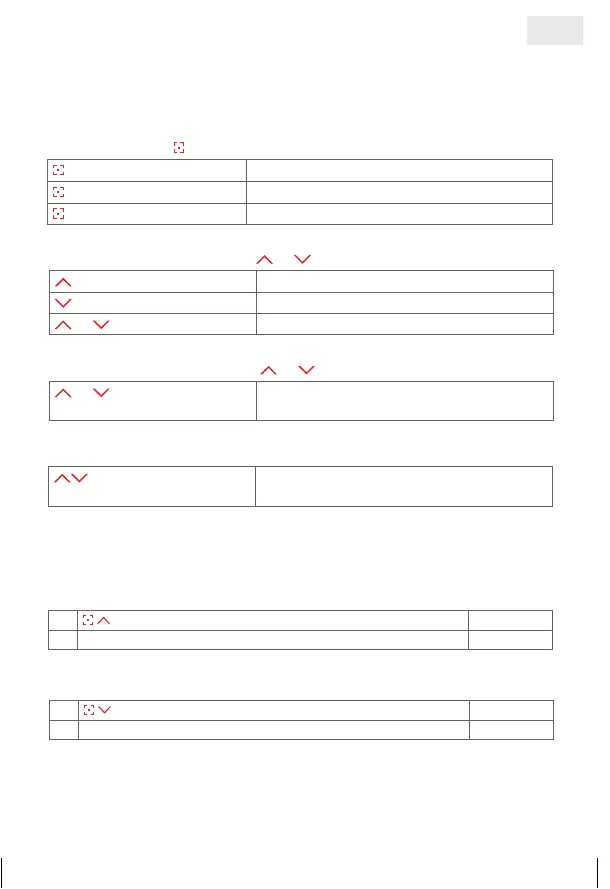
Channel selection
press briefly
Displays the active channel
press briefly
Switch channel
press and hold
Select all channels directly
Movement of blind or
press briefly up Blind moves to the top
press briefly down Blind moves to the bottom
or press briefly Blind stops
Adjusting slats or
or press and hold slats are turned in steps, as long as the
button is kept pressed
Individual fixed position
press at the same time shading goes to individual programmed
position
OPERATING MODE
The shading is controlled in the operating mode. All drive and turn moves are
carried out here. Automatic functions can be activated or deactivated in the
operating mode. The individual fixed position can also be controlled.
Deactivate automatic functions
1.
Press both buttons and hold = confirm selection
§§§§
2. Automatic functions deactivated
©£££
Activate automatic functions
1.
Press both buttons and hold = confirm selection
¦¦¦¦
2. Automatic functions activated
©©©©
A fixed positon is preallocated at the factory: shading is down, with blinds set to
50 % view.
Automatic functions are not preallocated at the factory, they have to be
programmed when required.
GB
14_107_BHB_West.indd 53 02.06.14 13:00


 To Next Page