
 Need help?
Do you have a question about the INTERTECHNO ITGW-433 and is the answer not in the manual?
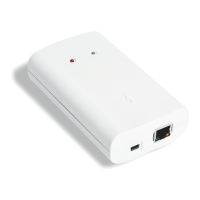
Connect the WLAN switch to the router and power supply as shown.
Explains the function of the green, yellow, red, and blue LEDs on the device.
Guide to downloading and using the smartphone app for control.
Steps to add new Intertechno receivers and assign codes within the app.
Tips for editing, deleting, or moving entries within the application.
How to use the app to control Intertechno dimmer functions.
Visual guide to the icons used within the WLAN Switch application.
Lists the necessary requirements for using a VPN with the switch.
Instructions on how to navigate to and open the app's settings menu.
Steps to locate the gateway's IP address within the application.
Guide on how to establish the VPN connection for remote access.
 General
| Frequency band | 0.433 GHz |
|---|---|
| Wireless connection | Yes |
| Ethernet LAN (RJ-45) ports | 1 |
| Input voltage | 5 V |
| Power over Ethernet (PoE) | No |
| Interface | WLAN, LAN |

 To Next Page