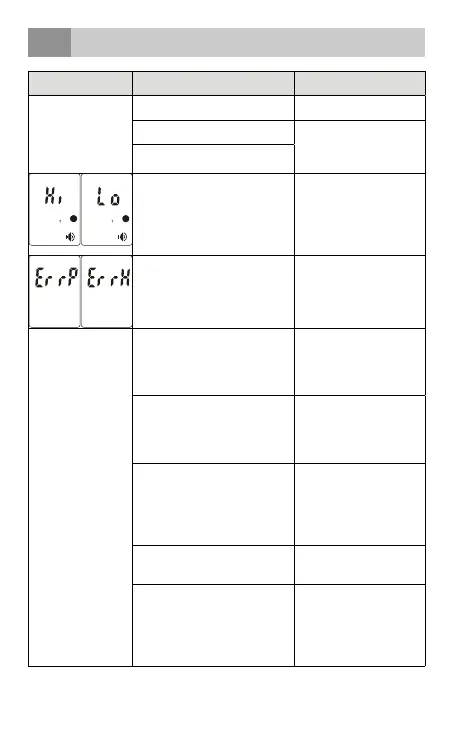
troubleshooting
15
Troubles Checklist Countermeasures
No response/
Automatic reset
when pulling out
the insulator
Batteries used up? Change the batteries
Batteries in wrong polarity? Take out the batteries,
reinsert batteries
correctly
Poor battery contact
The measured temperature
is lower than 32.0°C/89.6°F or
higher than 42.9°C/109.3°F.
Please check the operation
method.
Follow the steps in the
user manual for proper
measurement.
Hardware problem Contact the
manufacturer or point
of sale.
The measurement
is not accurate or if
there is any doubt
of the measure
result
Please check if the infrared
sensor is clean or not
Clean the infrared sensor
with a cotton swab
according to the user
manual.
Please check that the
measuring way is correct or not
Ensure you have read the
manual and know how
to use the thermometer
properly.
Please check if you have let the
thermometer and patient get
stabilized in the room for 30
minutes at least
Please keep the
thermometer and patient
in the measuring room at
least 30 minutes before
using.
Are you using the thermometer
indoor?
Please take the
measurement indoor.
Please check if you have hold
the thermometer in your
hand too long and affect the
accuracy
Put the thermometer
on the table in the room
where the measurement
is taking place and let it
cool down first.
English
• 39



 To Next Page