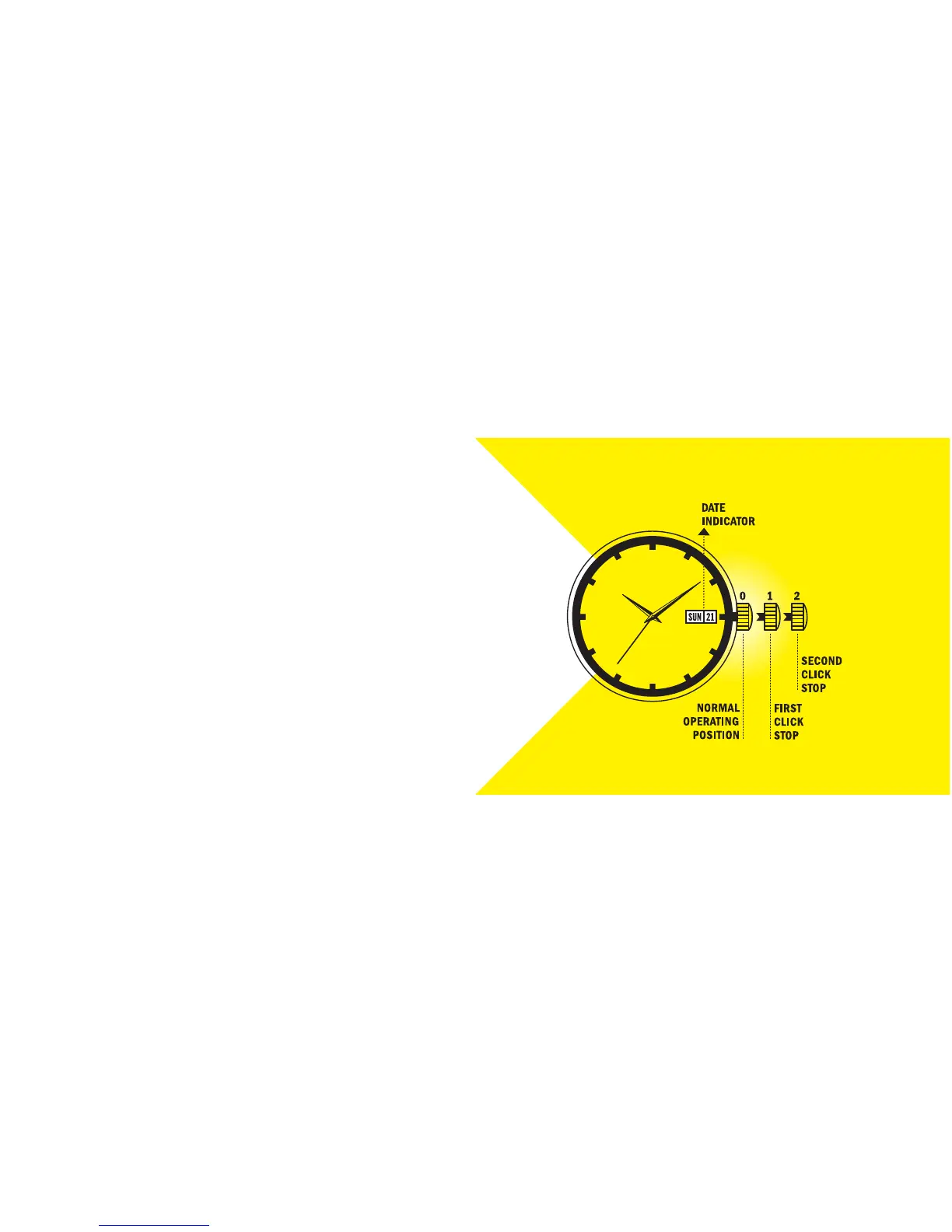
WATCHES THAT TELL TIME, DATE AND DAY
1. To set the date and day, gently pull out the crown to the first click stop position.
2. Rotate the crown clockwise to advance the day indicator.
3. Rotate the crown counterclockwise to advance the date indicator.
4. To set the time, gently pull out the crown to the second click stop position and
rotate to the time of day.
5. After the day, date and time are set, push the crown back to its normal operating
position. The watch will begin running again.
WATCHES THAT TELL TIME, DATE AND DAY
14 15


 To Next Page