
 Need help?
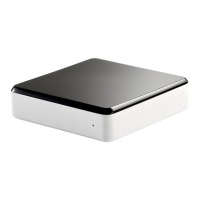
Do you have a question about the Invoxia Voice Bridge and is the answer not in the manual?
Guides users to download the companion mobile application for setup and use.
Connects the Voice Bridge to your analog phone outlet using the included RJ 11 cable.
Connects the Voice Bridge to your WiFi router's ethernet port using the included ethernet cable.
Connects the Voice Bridge to a power source using the provided adapter.
Ensures the mobile device is connected to the home Wi-Fi network before proceeding with setup steps.
Guides through the app's base discovery mode for pairing the Voice Bridge.
Details the capabilities of the Voice Bridge, including receiving landline calls on mobile devices.
Details compliance with FCC Rules for digital devices and radio frequency energy.
Provides essential safety precautions for using telecommunication equipment.
Covers Industry Canada regulations and operational conditions for the device.
Confirms product compliance with European Union directives like R&TTE.
Advises on proper disposal of electrical devices and accessories for recycling.
 General
| Compliant Standards | IEEE 802.11b, IEEE 802.11g, IEEE 802.11n |
|---|---|
| Weight | 5.64 oz |
| Frequency Band | 2.4 GHz |
| Connectivity Technology | Wireless |
| Data Link Protocol | IEEE 802.11b, IEEE 802.11g, IEEE 802.11n |
| Network / Transport Protocol | TCP/IP |
| Wireless Standard | IEEE 802.11b/g/n |
| Security | WPA, WPA2 |
| Ethernet Ports | 1 x 10/100 |
| Operating Temperature | 32 °F - 104 °F |
| Storage Temperature | 140 °F |
| Humidity | 10 to 90% (non-condensing) |

 To Next Page