Safety & Warnings
•DO NOT install with power applied to device.
•DO NOT expose the device to moisture.
•DO NOT open the dimmer in case any damages that out of repair.
ZigBee Clusters the device supports are as follows:
• 0x0000: Basic • 0x0003: Idenfy • 0x0004: Groups • 0x0005: Scenes
• 0x0006: On/off • 0x0008: Level Control • 0x0b05: Diagnoscs
Output Clusters
•
0x0019: OTA
Input Clusters
OTA: The device supports firmware updang through OTA,
and will acquire new firmware from zigbee controller or hub
every 10 minutes automacally.
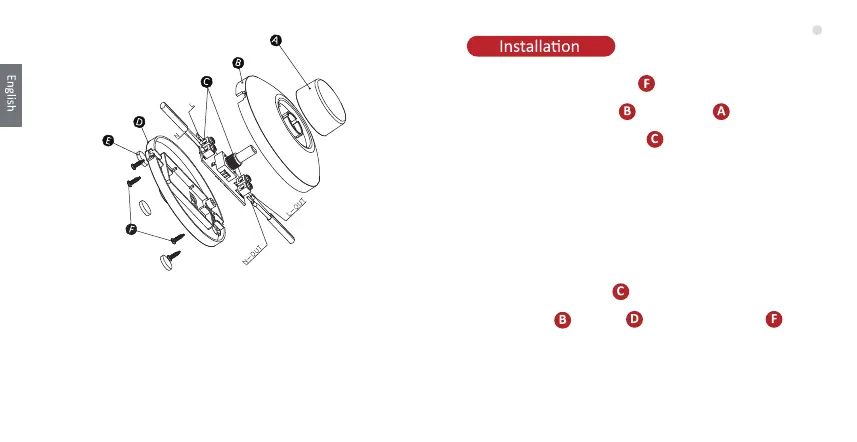
1. Unscrew the closing screws
2. Take out the front cover and the knob
3. Unscrew the cord anchorage
4. Strip the cable to be connected
5. Connect supply cable to the terminals L and N of the
electronic board.
6. Connect lamp cable to the terminal idenfied by symbol
of the electronic board
7. Mount cord anchorage
8. Mount front and back , screwing the screws
04



 To Next Page